Disclaimer: This article was published on July 30th, and all pricing, features, and other information reflect what was available as of the publication date. Mentioned product offerings, features, and pricing may change over time.
Most customers who order delivery would rather place their order directly on your website or app than through a third-party marketplace. In NCR Voyix’s 2025 customer survey, 58% said they prefer ordering from a business’s own site or app. When a customer orders direct, the delivery logistics are yours to organize. Delivery management platforms that integrate with your existing business systems help you deliver the best customer experience efficiently.
The best delivery management system is the one that matches your order sources and your budget. For small and mid-sized food operations that run their own drivers, Shipday is the one platform here that connects to both ecommerce checkout and a restaurant point of sale (POS) systems, at a small-business price. High-volume enterprise fleets tend to choose Onfleet, while food retailers shipping parcels only reach for a proof-of-delivery specialist like Track-POD or Detrack.
This guide defines the terms you need, shows how one platform handles both order sources, and walks you through choosing the best fit for your business.
Quick answer: the best systems at a glance
- Shipday is best for local and small to medium sized business operations that run their own drivers, starting at $39 a month with no per-driver fees. Great fit for business with and without drivers.
- Onfleet is best for high-volume enterprise fleets dispatching thousands of tasks a month.
- Track-POD is best for food retailers shipping parcels that need detailed proof of delivery.
- Detrack is best for ecommerce and third-party logistics fleets that want dependable tracking at a per-vehicle price.
Basic terms to know
Before you start comparing tools, it is important to understand what these terms mean:
- Delivery management software takes incoming orders and manages the driver assignment and tracking that follow, usually with built-in customer notifications and proof of delivery. What varies is where the orders come from and how automated the tools are.
- An integration is a direct connection between the delivery management software and the system where your orders originate: an ecommerce platform like Shopify on the storefront side, or an online ordering module in your point of sale (POS). A native integration automatically pulls each new order directly into your order stream, with no manual order re-entry.
- A single dispatch view is a single screen that shows every delivery, no matter what channel it came from ( your website, a third-party channel, over the phone, etc.). The alternative is separate screens for in-house and online orders, which leads to missed orders, unhappy customers, and refunds or chargebacks.
How delivery management software integration works
Integrating delivery management software with your POS or ecommerce site is a much more streamlined process than managing orders manually. Here’s what it usually looks like:
- Order in. A customer places an order for delivery, via whatever channels you use (phone, online ordering site, app). Delivery orders appear directly in your main order stream, alongside in-house or other food orders.
- Dispatch. The delivery management platform automatically assigns each delivery order to a driver based on location and capacity.
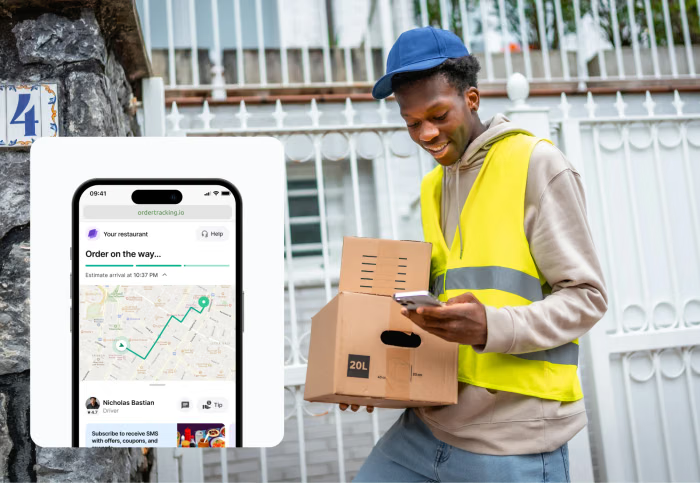
- Track. The customer receives a tracking link (via email or SMS) with a live ETA, reducing “where-is-my-order” calls.
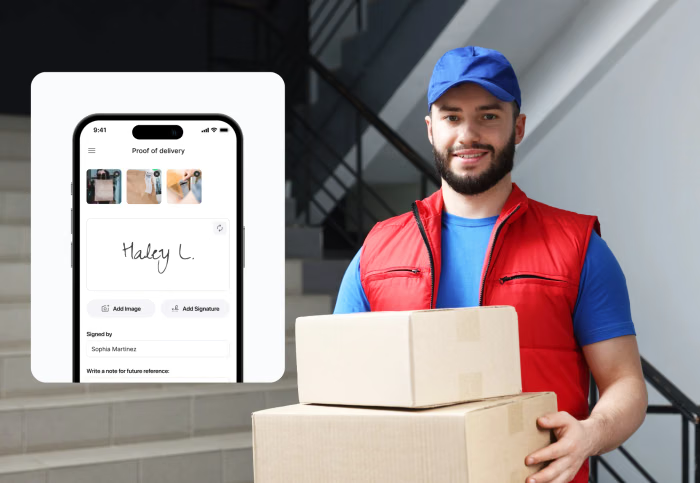
- Proof and reporting. The driver captures a photo or signature at the door, and all deliveries are recorded in a single set of reports (rather than multiple reports for each ordering channel).
Why it matters: the payoff for your business
Most food businesses see some immediate positive impacts from integrating their delivery management software with ecommerce order streams. The through-line is the same in each; fewer manual steps between an order landing and a driver leaving, which typically results in:
- Lower labor and stronger reviews. Romeo’s Pizza cut labor 4% after moving dispatch and review collection onto one platform, and tripled its five-star reviews.
- Hours back every month. La Familia Katonah reports saving up to 100 hours a month once orders stopped being handled twice.
- Real savings at scale. KFC Barbados runs its delivery on Shipday across multiple locations and reports saving about $400,000 a year with auto-dispatch and real-time tracking.
- Fewer status calls. Live tracking and accurate ETAs reduce the "where-is-my-order" calls that tie up the phone during a rush.
The best integrated delivery management systems compared (2026)
The right delivery management software integration for your food business depends on your order sources and the size of your operation. The table shows the top platforms for food business and ecommerce integrations.
| System | Best for | Integration coverage | Starting price | Fleet type |
|---|---|---|---|---|
| Shipday | Local and SMB running a storefront and online ordering | Shopify, WooCommerce, Squarespace, Wix, LightspeedToast, Square, EPOS Now, Oracle MICROS, ChowNow, GrubHub | $39/mo, no per-driver fee | Own, third-party, or mixed |
| Onfleet | High-volume enterprise fleets | Ecommerce and API; restaurant POS limited to Square | $599/mo (2,500 tasks) | Mid-market to enterprise, by task |
| Track-POD | Parcel retailers needing proof of delivery | Shopify, WooCommerce, Adobe Commerce | ~$147/mo (3-driver minimum) | Own fleet, per driver |
| Detrack | Ecommerce and 3PL tracking | Shopify, WooCommerce, Shopee | From $26/vehicle/mo | Own or outsourced, per vehicle |
How we evaluated these systems
We compared these platforms as an operator would, using each vendor’s documentation and pricing pages, along with verified user reviews on G2 and Capterra. Five things mattered most.
- Order-source breadth: We looked for systems that integrate ecommerce platforms or food POS in one dispatch layer. Those that integrate both received the highest scores.
- Cost: We rewarded low entry cost, and lack of long term contracts. Platforms without driver minimums or per-delivery fees earned the highest scores.
- Real-time tracking: Platforms with live driver tracking and automated order status messaging earned the highest scores.
- Driver flexibility: We rewarded platforms that manage delivery across in-house and third-party drivers.
- What users report: We verified reviewer feedback on everyday reliability and support.
Shipday: best for SMB and local delivery
Shipday is the strongest fit for a small- or mid-sized food operation that runs its own drivers or hails third-party drivers on demand. Shipday combines auto-dispatch, route optimization, live tracking, and proof of delivery into a single platform. Shipday integrates directly with ecommerce platforms Shopify, WooCommerce, Squarespace, Wix, and Grubhub. It also offers the most food POS system integrations of any system on this list: Toast, Square, Lightspeed, EPOS Now, and Oracle MICROS.
Shipday’s Professional plan is $39 a month flat, with unlimited drivers and route optimization, billed month-to-month with no contract. There is no per-driver or per-task meter climbing as you grow, which enterprise and per-driver platforms cannot match for a small operation. Third-party courier overflow through DoorDash Drive and Uber is available on the Elite plan and up in supported countries. Shipday is built for SMB and scaling operations. Very large operations may prefer an enterprise-level tool.
Onfleet: best for high-volume last-mile fleets
Onfleet is built for courier and grocery operations that dispatch on demand at volume. Its route optimization and driver tracking are strong. It connects to Shopify and, through its API, to more than 40 other tools.
Onfleet’s strongest POS integrations are with grocery and cannabis systems. On the restaurant side it connects to Square, and a couple of niche ordering apps (Zuppler, Menuu), but not with the big POS platforms like Toast or MICROS.
Onfleet’s pricing targets volume: the Launch plan starts at $599 a month for 2,500 tasks, with SMS billed separately. James W., a co-founder in construction, pointed to “the lack of a mobile-native dashboard.” Onfleet has a 4.6 rating on both G2 and Capterra. It fits a dedicated last-mile fleet, not a business combining retail and restaurant delivery.
Track-POD: best for parcel retailers
Track-POD has some of the most configurable proof-of-delivery options in the category: signatures and photos on every drop, with barcode scanning by order or by item. It connects to Shopify and WooCommerce, plus Adobe Commerce. For a store shipping packages, it is a clean fit.
It has no pre-built restaurant POS or food-ordering integrations, but it has an open API for building custom integrations. Pre-built integrations skew toward shipping, bookkeeping, and WooCommerce. So it is best for food retailers shipping packaged food products.
Pricing is based on the number of drivers, with a minimum of 3 drivers. Currently, the lowest price plan runs about $147 a month. Track-POD holds 4.7 out of 5 on Capterra, though some critical reviews note that the notification setup “could be more user-friendly.
Detrack: best for ecommerce and 3PL tracking
Detrack prices per vehicle, from about $26 per vehicle a month on annual billing, which is predictable for a stable fleet. It is built for ecommerce and third-party logistics operators who want live tracking and electronic proof of delivery, and it integrates with major ecommerce platforms, including Shopify and WooCommerce.
It currently has no restaurant POS integrations and no on-demand food workflow, so a business that combines in-house and online orders still needs a separate tool for order management. Andrew L., a logistics manager in construction, flagged that “integrating with other information systems is quite challenging.” Detrack holds 4.7 out of 5 on Capterra. For a pure ecommerce fleet, it is a reasonable pick.
How to choose the right delivery management system for your food business
A few questions point you to the right tool for your model.
- What are your order sources? A storefront, an online store, or both. If both, you need a platform that communicates directly with both an ecommerce checkout and a restaurant POS.
- Own drivers, third-party couriers, or a mix? A mixed fleet needs a system that dispatches both in one view.
- Does it connect to your stack? Check for native support for what you run, whether Shopify, Toast, Square, WooCommerce, or Wix.
- How does it charge? Flat monthly versus fees that climb with every driver or vehicle you add. For a small operation, this is often the deciding factor.
- Will it fit at double your volume? The tool that works at 50 orders a day should not need replacing when you hit 100 daily orders.
For most SMB operations, the answers line up: both order sources, a mix of drivers, a POS to connect, and a budget that cannot absorb per-unit fees. That points to a platform like Shipday, whose $39 month-to-month plan is a low-risk way to test the fit.
How to measure the payoff
Set a baseline before you switch. For a typical week, capture the time your team spends re-keying orders, your error and refund rate, your on-time rate, and orders completed per dispatcher. Track the same numbers after both sources move onto one platform. Re-keying time usually drops first, refunds fall as dropped handoffs disappear, and on-time rate climbs once dispatch and tracking run from one place. Measure for a full month, since the change needs real volume to show.
How to get started
Getting started with a delivery management system typically does not require a big rollout.
- Map your order sources. List where orders come from today and which still need manual entry. That tells you what to connect first.
- Connect your stack. Link your store and POS so both feed the same queue.
- Pilot small. Run one location or order source for a week against your baseline, and ask the drivers and dispatchers who use it.
- Roll out and refine. Once the numbers hold, move the rest of your operation over.
Shipday’s $39 Professional plan bills month-to-month with no contract, so you can run a real pilot and cancel if it does not fit, with no per-driver commitment.
Frequently asked questions
What is the best delivery system for both ecommerce and food delivery?
It depends on your order sources and your scale. Shipday suits SMB operations that run combine storefront and online operations, whether they rely fully on an in-house team of drivers or use third-party drivers. Onfleet suits high-volume enterprise fleets, and Track-POD or Detrack suit retailers that only ship parcels.
What does Shipday add on top of my restaurant POS?
Shipday connects to restaurant systems including Toast, Square, Lightspeed, EPOS Now and Oracle MICROS. The POS keeps ordering and payments; Shipday adds the live tracking and auto-dispatch that most POS platforms leave out, so the delivery side is managed properly.
Do I have to change my online store or my POS to use Shipday?
No. Shipday sits on top of the systems you already run. Your website keeps taking orders and your POS keeps handling payments; Shipday reads the delivery jobs from both and adds the dispatch and tracking layer. In most implementations, customers keep using your existing checkout while Shipday handles dispatch behind the scenes.
How much does Shipday cost?
Shipday’s lowest promoted plan is Professional at $39 a month, flat, billed month-to-month with no long term contract. For comparison, Onfleet’s entry plan starts at $599 a month, and Track-POD carries a three-driver minimum of about $147 a month.
Bottom line
The best delivery management system is the one that fits how your business actually delivers. A high-volume enterprise fleet needs a volume-oriented platform like Onfleet; a retailer shipping parcels needs a proof-of-delivery specialist like Track-POD or Detrack. A local business running its own drivers across an online store and storefront ordering needs one platform that pulls both order sources into a single dashboard, and that is Shipday.
Direct ordering is not going away, and the delivery that follows is yours to run. Running your storefront and ecommerce orders from one place is within your control.

Former restaurant manager – Mary King offers advice on small business in Forbes Advisor, Fit Small Business, The Restaurant HQ, and Technology Advice.