by Moin Islam8 min read
Shipday now works with ChatGPT and Claude: check orders, drivers, and delivery reports by asking
Running deliveries means answering the same questions all day. How many orders are out? Which driver has the Elm Street order? What did everyone earn tonight? What's on the schedule for tomorrow morning?
Until now, each of those answers lived somewhere in the Shipday dashboard. You'd log in, open the right tab, set the filters, and read through the list. That works when you're at a desk. It's harder when you're on the line, at a second location, or closing up at 11pm.
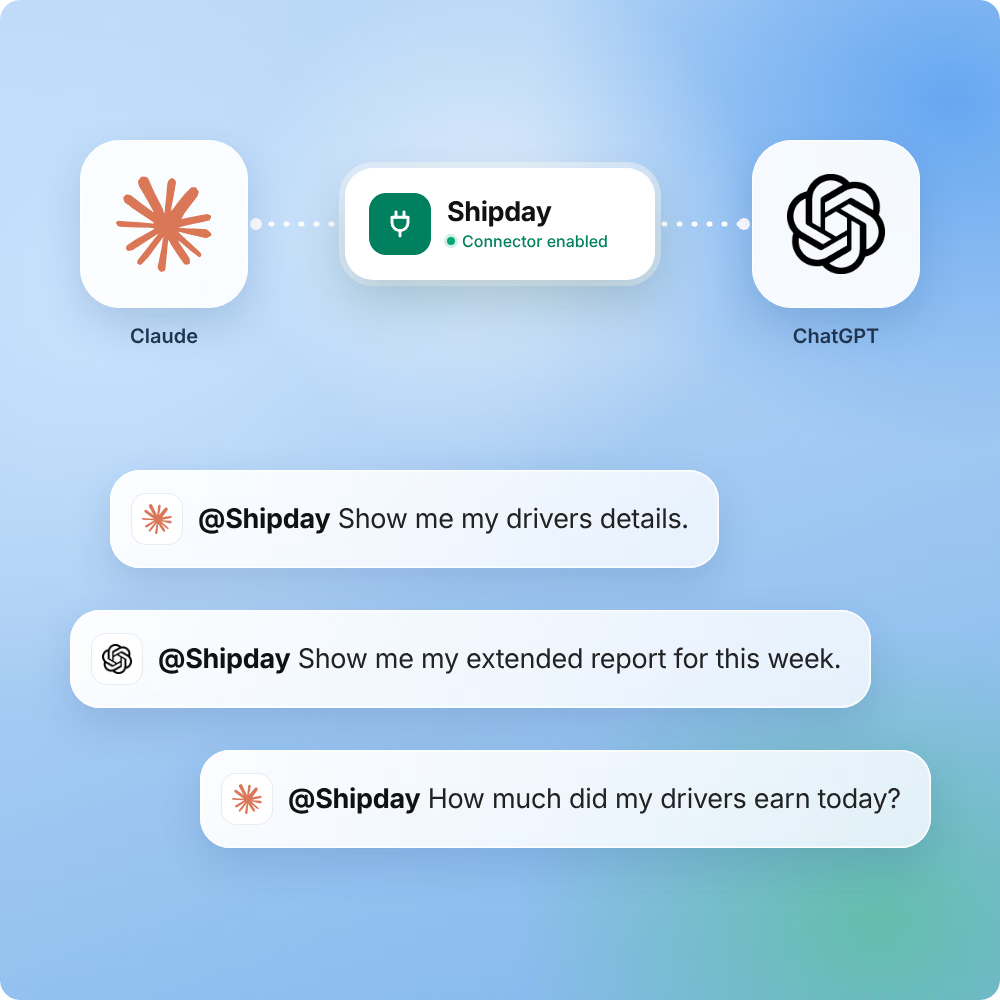
Today, Shipday connects to the two AI assistants most people already use: ChatGPT and Claude. Connect your Shipday account once, ask about your deliveries in plain English, and get the answer right in the chat. Setup takes about a minute on either one. Step-by-step guides are on the Shipday + ChatGPT and Shipday + Claude integration pages.
What you can do with Shipday in ChatGPT and Claude
Both assistants get view-only access to the parts of your Shipday account you choose. Here's what that covers.
Active and scheduled orders. Ask "What orders are out for delivery right now?" or "What's scheduled for tomorrow morning?" and get a clean list with times and status.
Drivers and today's earnings. Ask "Which drivers are on shift?" or "List today's earnings by driver" and get an answer you can check at close or pass to whoever handles pay.
Customer profiles. Look up a customer by name when they call, or ask "Who are my top 10 customers by amount spent?" to find your regulars and VIPs.
Completed-order reports. Ask about delivery timing and cost for today, this week, or the month so far. "What was our average delivery time this week?" gets you a number and the pattern behind it.
Deleted orders. Ask "Which orders were deleted this week?" so cancellations don't slip by unnoticed.
The real advantage is the follow-up. A dashboard answers the question it was built for. An AI assistant lets you keep asking: "Make that a table." "Which day was slowest?" "Who delivered the most?"
ChatGPT or Claude: which should you use?
Use the one you already have open. Both read the same Shipday data and both are view-only. A few small differences:
| ChatGPT | Claude | |
|---|---|---|
| Where to find Shipday | ChatGPT plugin directory | Claude connectors directory |
| How you connect | Install plugin, then sign in to Shipday | Connect to Claude, then sign in to Shipday |
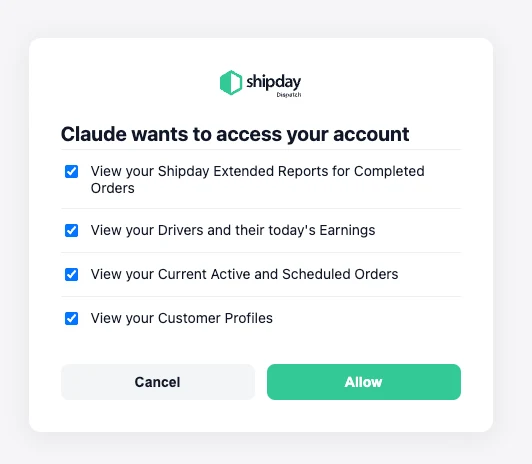
| Permissions screen | You tick the data you want to share | All data types are ticked by default; untick what you want to keep private |
| Full setup guide | /connectors/chatgpt | /connectors/claude |
You can connect both. Many teams do, since different people on the same team prefer different assistants.
How to connect Shipday to ChatGPT
You'll need a Shipday account (the free plan works) and a ChatGPT account. Here's the short version. For screenshots of every step and troubleshooting tips, follow the full setup guide on the Shipday + ChatGPT integration page.
- In ChatGPT, open Plugins and search for "Shipday," or open the Shipday plugin directly.
- Click "Install plugin," then "Connect Shipday."
- Sign in with your Shipday email and password.
- Tick the data you want ChatGPT to see, then click "Allow." Make sure at least one box is ticked.
- Click "Try now" and ask your first question.
How to connect Shipday to Claude
You'll need a Shipday account and a Claude account. Connect from Claude on the web or the desktop app; after that, Shipday works in the Claude mobile app too. For the full walkthrough, see the setup guide on the Shipday + Claude integration page.
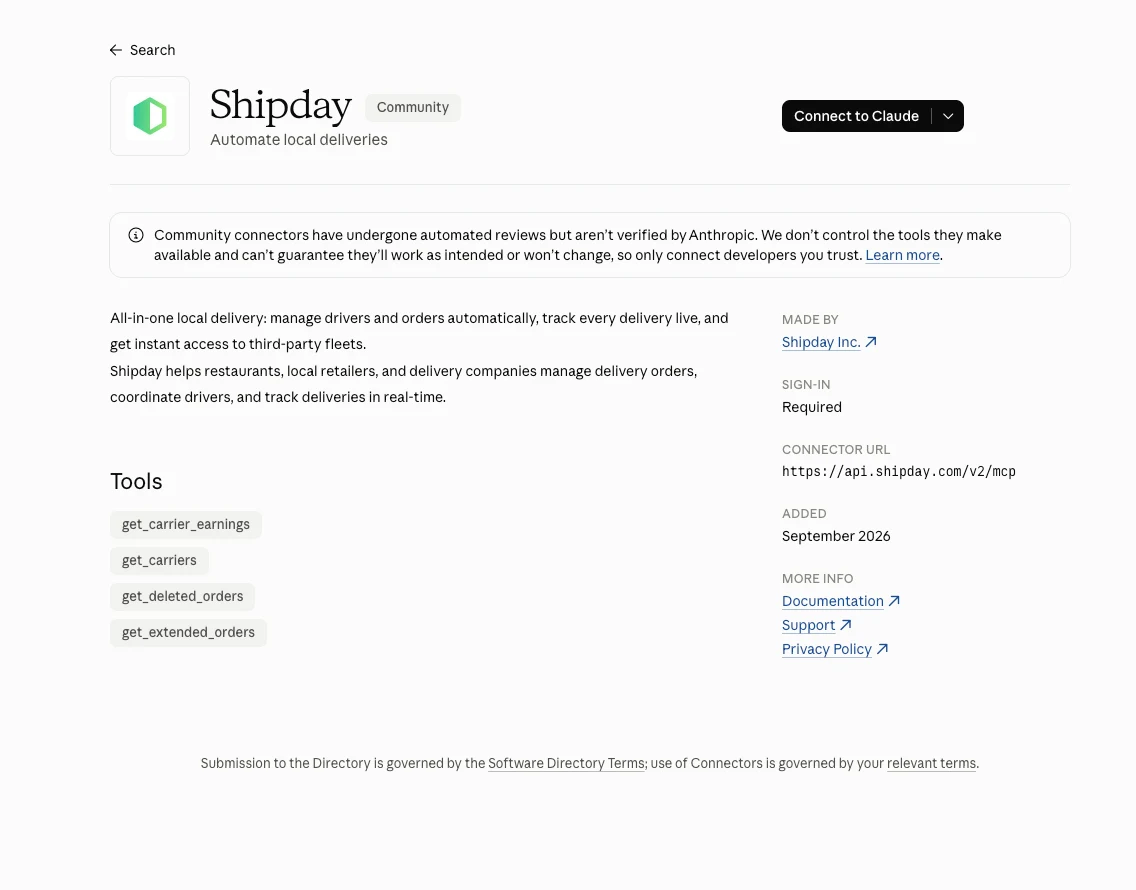
- In Claude, open Customize, then Connectors, and find Shipday in the connectors directory.
- Click "Connect to Claude."
- Sign in with your Shipday email and password.
- Review the permissions. Claude asks to view your completed-order reports, drivers and today's earnings, active and scheduled orders, and customer profiles. Untick anything you want to keep private, then click "Allow."
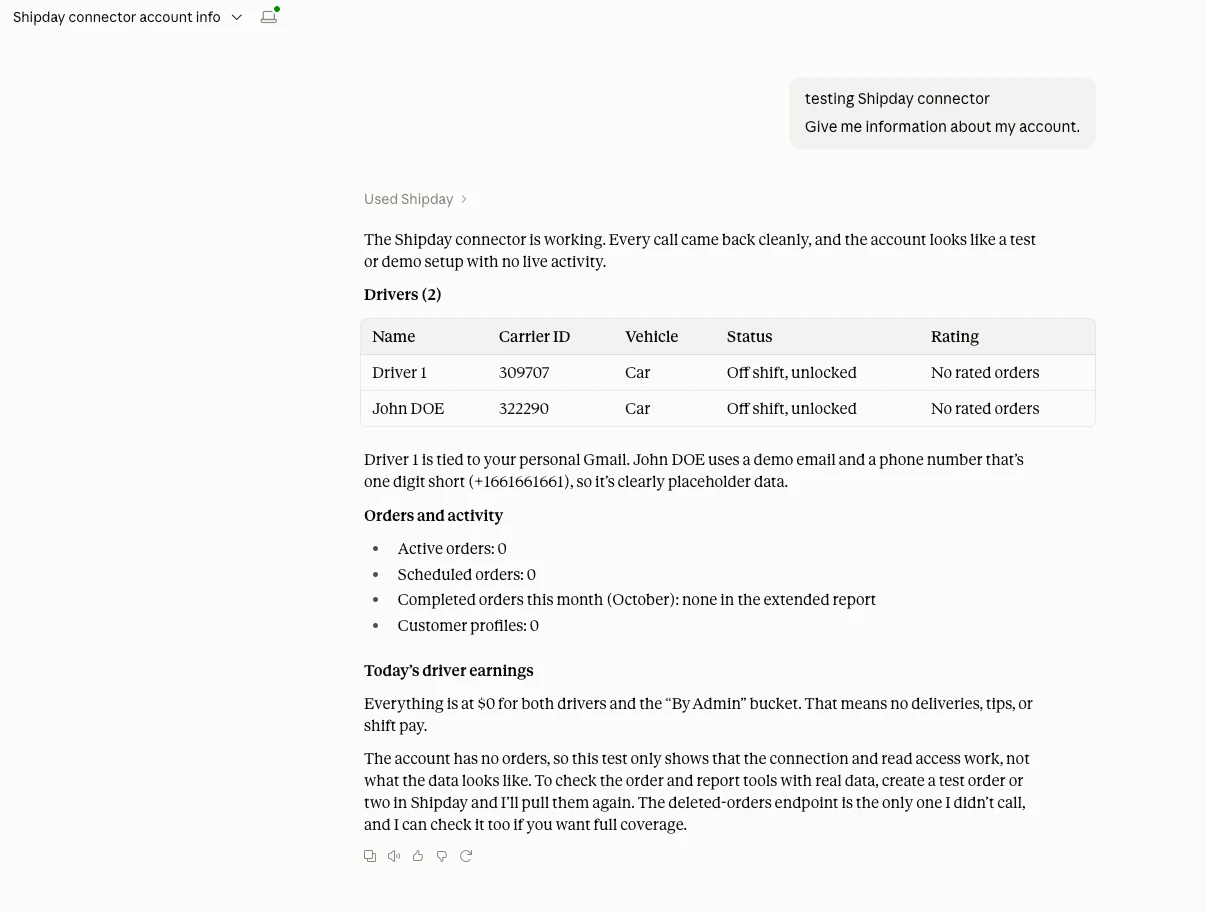
- Start a new chat and ask something like "In Shipday, give me an overview of my account." Claude shows "Used Shipday" when it's pulling from your account.
On a Claude Team or Enterprise plan, an owner needs to enable the Shipday connector for your organization first.
Questions to try first
Not sure where to start? Copy one of these into ChatGPT or Claude:
- In Shipday, what orders are out for delivery right now?
- Which orders are scheduled for later today?
- Which drivers are on today, and what have they earned so far?
- Summarize yesterday's completed deliveries.
- Who are my top 10 customers by number of orders?
- How many orders were deleted this week?
Starting your question with "In Shipday" tells the assistant exactly where to look.
What it looks like in a real day
Here's how three different businesses might use Shipday in ChatGPT or Claude. The names and numbers are examples, but the questions are ones you can ask today.
A florist on Mother's Day morning
Bloom & Stem has 140 orders going out today and four drivers on the road. At 9:15am, the owner is in the back room finishing arrangements and can't get to the dashboard. She opens ChatGPT on her phone and asks:
"In Shipday, which orders are scheduled before noon, and which are already out for delivery?"
ChatGPT splits the morning into two lists: 23 orders already on the road and 11 still scheduled, the earliest due at 10am. She follows up:
"Which drivers are on shift right now?"
Two of her four drivers are back at the shop. She sends them out with the 10am wave from the Shipday dashboard and gets back to the arrangements. The whole check took under a minute.
That evening, she asks one more question:
"Summarize today's completed deliveries and our average delivery time."
She gets the day's totals and timing in a few lines, which she saves to plan staffing for next year.
A pizza restaurant on a Friday night
Tony's Pizza runs three in-house drivers on weekends, and the owner keeps Claude open on the office laptop. At 7:40pm, a regular calls to ask about an order. The manager asks:
"In Shipday, find the active order for Maria on Oak Avenue."
Claude shows the order is out for delivery with Marcus. The manager tells the customer it's on the way and gets back to the oven.
At close, the owner asks:
"List today's earnings by driver."
He gets each driver's total for the night in one table, ready to check against tips and cash before everyone heads home. Later in the month, he asks:
"Looking at this month's completed deliveries, which day of the week is busiest, and how many orders were deleted?"
Fridays lead every week, and most deleted orders land between 6pm and 7pm when the kitchen is slammed. He adds a fourth driver on Fridays and an extra phone person for the early rush.
A bakery running scheduled weekend deliveries
Sweet Crumb Bakery takes preorders all week for Saturday morning delivery: birthday cakes, pastry boxes, and office catering. On Friday afternoon, the owner asks Claude:
"In Shipday, show me all orders scheduled for tomorrow, sorted by delivery time."
Claude returns 32 scheduled orders, the first due at 7:30am. She notices six catering orders going to the same business park between 8am and 9am, and follows up:
"Which of tomorrow's orders are going to Commerce Drive?"
She groups those six into one driver run in Shipday. A few weeks later, she checks in on repeat business:
"Who are my top 15 customers by number of orders?"
She gets a short list of regulars and tucks a thank-you card into each of their next boxes.
Try it with your own business
Every example above uses the same building blocks: active orders, scheduled orders, drivers, earnings, customers, completed orders, and deleted orders. Start with the question you ask yourself most often during a shift, and go from there.
What the integration doesn't do
Shipday's ChatGPT app and Claude connector are both view-only. They can read the data you allow, but they can't create orders, reassign drivers, or cancel deliveries. Dispatch still happens in the Shipday dashboard and driver app, where you have the full set of controls. We built it this way on purpose: you get fast answers without any risk of a chat changing a live delivery.
Completed-order and deleted-order reports cover the current calendar month. For older history, use reports in the Shipday dashboard.
Your data and your control
You connect through Shipday's own sign-in, and you choose which data each assistant can see on the permissions screen. You can disconnect anytime: in ChatGPT settings for ChatGPT, or under Connectors in Claude.
How each assistant handles your conversations follows your settings with that provider and their privacy policy (OpenAI for ChatGPT, Anthropic for Claude).
Get started
Already on Shipday? Pick your assistant and follow the setup guide. New to Shipday? Start free, add your drivers, and you'll be asking about your deliveries the same day.
Ask about your deliveries today
Connect Shipday to ChatGPT or Claude in about a minute. Access is view-only, and the connection is free.

Moin IslamCo-founder, CEO
Automating local deliveries globally. Writes about restaurant delivery management, growing delivery business, and managing profitable restaurants.