Branded Elite
Branded tracking, 3rd-party delivery & private reviews.
Starts at$99/mo
Included Orders300
$0.20 per extra order
Connect your Shipday account to ChatGPT and check orders, drivers, earnings, and delivery reports by asking a question. No dashboard, no exports, no filters.
The Shipday ChatGPT integration lets you ask ChatGPT questions about your Shipday delivery account in everyday language. Once connected, ChatGPT can read your active and scheduled orders, driver details and daily earnings, customer profiles, and completed-order reports. You get answers as a short summary or a table, right inside the chat. Owners and managers can check on deliveries from a phone or laptop without logging into the dispatch dashboard or building reports by hand.
ChatGPT is an AI assistant made by OpenAI that answers questions and helps with work through conversation. Through plugins and apps, ChatGPT can connect to business tools like Shipday and use your own account data to answer questions. It's available on the web, desktop, and mobile.
The Shipday ChatGPT integration is built for delivery businesses that already run on Shipday and want faster answers about what's happening on the road.
Not always at the pass? Check how many orders are out and which driver has them from your phone, between service and everything else.
Get a quick read on delivery volume and driver activity across stores without switching dashboards.
On peak days like Valentine's Day and Mother's Day, know which orders are still waiting for a driver.
Dispatchers field "where's my order?" calls and need the answer in seconds.
Running scheduled routes? Get a daily or weekly summary of completed deliveries.
See each driver's daily earnings without exporting a spreadsheet.
Ask what's out for delivery, what's scheduled for later, or what hasn't been picked up yet. ChatGPT pulls it straight from your Shipday account.
Which orders are scheduled for after 6pm today?
See who's working, what they're carrying, and contact details, without opening the dispatch board.
Which drivers are on shift right now?
Get each driver's earnings for the day as a clean list you can hand to payroll or check at close.
List today's earnings by driver.
Find a customer's profile and order history when they call, so you can answer without searching the dashboard.
Show me the profile for the customer at 214 Elm Street.
Ask for a summary of completed deliveries for any day or week and get totals, breakdowns, and patterns in plain language.
Summarize this week's completed deliveries by day.
Access is view-only and you choose exactly what ChatGPT can see when you connect. Disconnect anytime from ChatGPT settings.
Type or say what you want to know, like "What orders are out right now?"
It reads only the data you allowed when you connected, through a secure sign-in.
A short summary or table, ready to read, copy, or follow up on.
Setup takes about a minute. You need a Shipday account and a ChatGPT account.
Step 1
If you don't have one yet, sign up for free. No credit card required.
Sign up free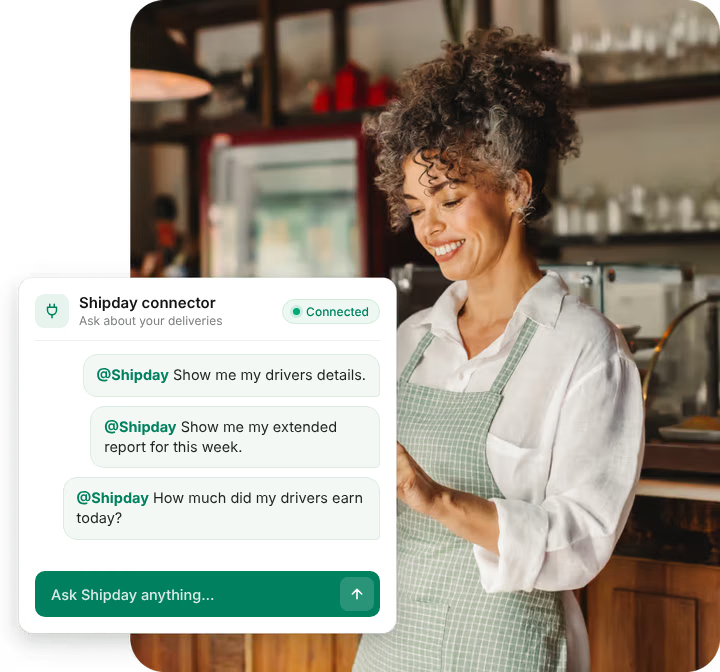
Step 2
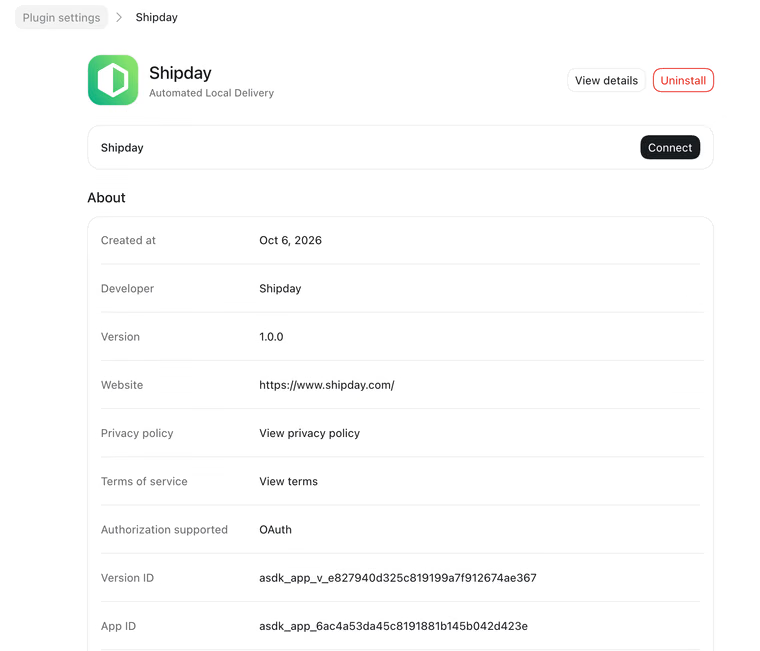
In ChatGPT, open Plugins and search for "Shipday," or open the Shipday plugin directly. Then click "Install plugin" on the Shipday listing.
Step 3
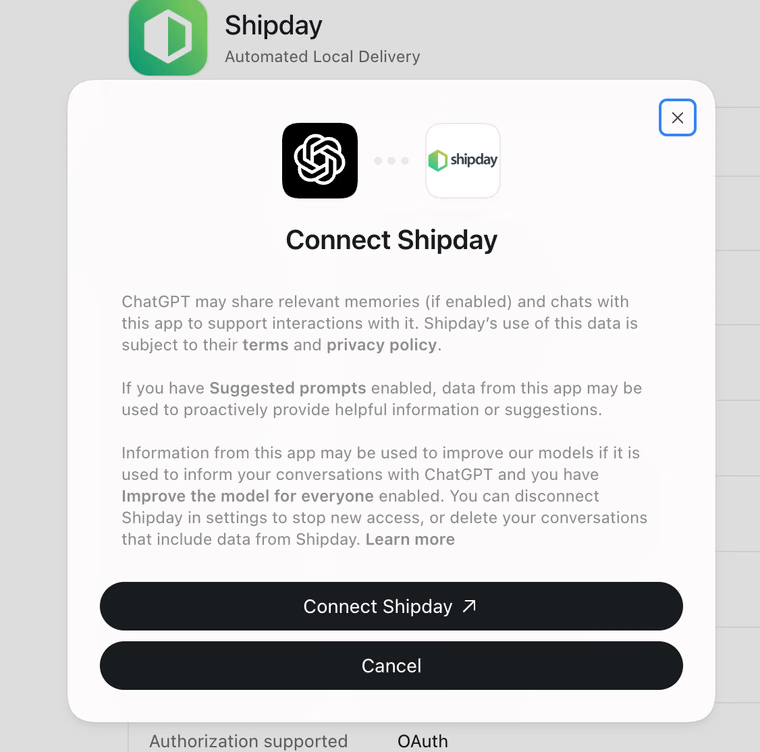
ChatGPT shows a "Connect Shipday" screen explaining how data is shared. Review it and click "Connect Shipday."
Step 4
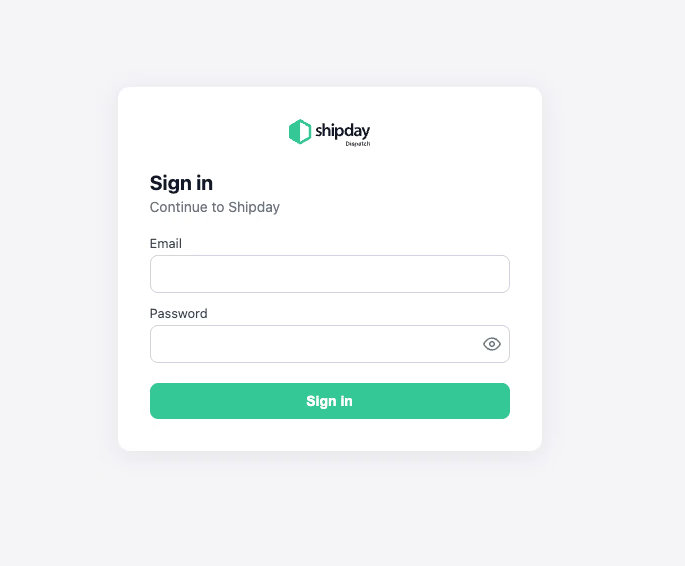
A Shipday sign-in window opens. Enter the email and password you use for the Shipday dispatch dashboard and click "Sign in."
Step 5
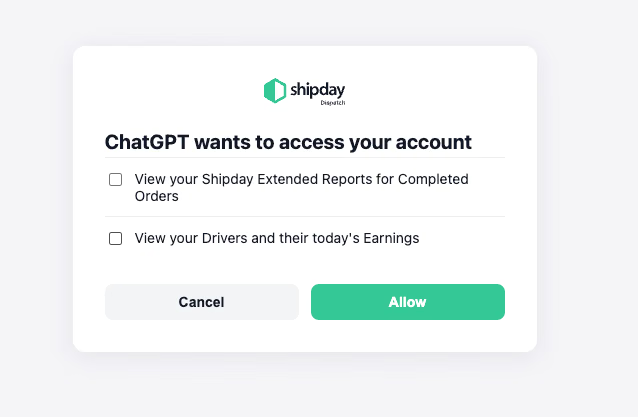
Tick each permission you want to allow, such as your drivers and their earnings or your completed-order reports, then click "Allow." Boxes left unticked stay private, so tick at least one.
Step 6
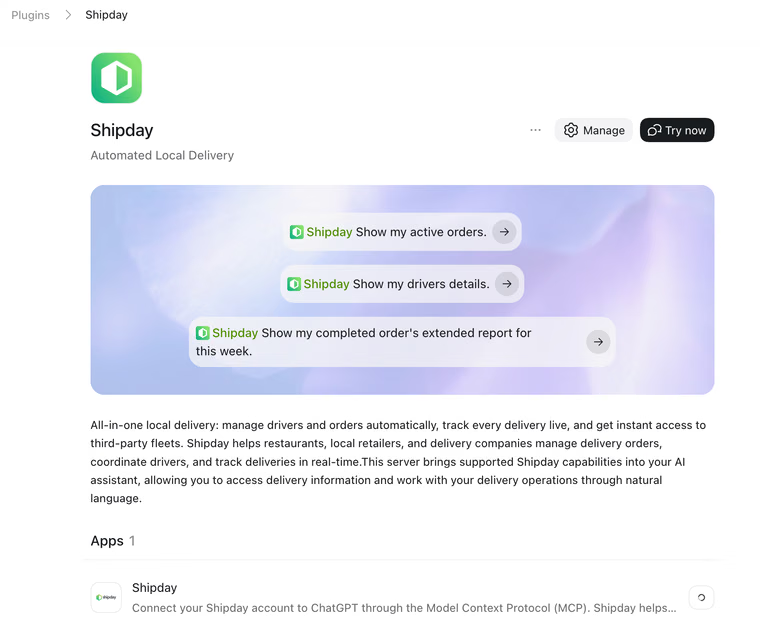
Back on the Shipday listing, click "Try now" to start a chat with Shipday.
Step 7
Ask something like "Show my active orders." If ChatGPT doesn't pick up Shipday on its own, mention Shipday in your question.
Good to know
To disconnect later, open ChatGPT settings and remove Shipday from your connected apps.
Pick the plan that fits your fleet. No per-stop fees on paid plans. No credit card required to try.
Branded tracking, 3rd-party delivery & private reviews.
Starts at$99/mo
Included Orders300
$0.20 per extra order
Everything in Elite + AI Operations & Growth Managers, SMS promos.
Starts at$199/mo
Included Orders750
$0.20 per extra order
Everything in Lite + AI Receptionist, unlimited orders & multi-location.
Starts at$399/mo
Unlimited orders per location
Automated dispatch, route optimization & SMS ETAs.
Starts at$49/mo
Included Orders300
$0.10 per extra order
Everything in Professional + your brand on tracking, driver app & 3rd-party fleets.
Starts at$99/mo
Included Orders300
$0.20 per extra order
Everything in Elite + AI Operations Manager & SMS promos.
Starts at$199/mo
Included Orders750
$0.20 per extra order
Everything in Lite + geo-fencing & advanced analytics.
Starts at$399/mo
Included Orders1,500
$0.25 per extra order
Unlimited drivers, route optimization & auto-dispatch.
Starts at$49/mo
Included Orders300
$0.10 per extra order
Everything in Professional + branded tracking & driver app.
Starts at$99/mo
Included Orders300
$0.20 per extra order
Everything in Elite + AI Operations Manager & customer data.
Starts at$199/mo
Included Orders750
$0.20 per extra order
Everything in Lite + full AI agent suite, geo-fencing & multi-location.
Starts at$399/mo
Included Orders1,500
$0.25 per extra order
Core tools to start: driver app, tracking & POD.
Free$0/mo
Included Orders300
Maximum 300 orders per month.
Live map tracking, auto-dispatch & SMS/WhatsApp notifications.
Starts at$29/mo
Included Orders300
$0.06 per extra order
Everything in Professional Lite + branded tracking & driver app.
Starts at$99/mo
Included Orders300
$0.20 per extra order
Everything in Elite + AI Operations Manager & customer data.
Starts at$199/mo
Included Orders750
$0.20 per extra order






Yes. Shipday has an official app in the ChatGPT plugin directory. After you connect your Shipday account, you can ask ChatGPT about your orders, drivers, driver earnings, customer profiles, and completed-order reports in plain English, and get answers inside the chat.
The app is free to install. You need a Shipday account, and Shipday has a free plan with no credit card required. Paid Shipday plans start at $29 per month. Your ChatGPT plan must support plugins.
Open the Shipday plugin in ChatGPT, click "Install plugin," then "Connect Shipday." Sign in with your Shipday email and password, tick the data you want ChatGPT to see, and click "Allow." The whole setup takes about a minute.
You can ask about active and scheduled orders, which drivers are working, each driver's earnings for the day, customer profiles, and reports on completed orders. For example: "What orders are out for delivery right now?" or "Summarize this week's completed deliveries."
No. The Shipday ChatGPT app is view-only. It can read the data you allow, but it can't create, edit, assign, or cancel orders. You still manage dispatch from the Shipday dashboard and driver app.
You sign in through Shipday's own secure login and choose exactly which data ChatGPT can see. You can disconnect anytime in ChatGPT settings. OpenAI's handling of data in your chats follows your ChatGPT data settings and OpenAI's privacy policy.
Yes. Once connected, you can ask about your Shipday orders and drivers from ChatGPT on your phone, which makes it easy to check on deliveries when you're away from the dashboard.
Yes. Shipday also has a connector for Claude, and it connects to OpenAI Codex through the same secure sign-in.
Check that you ticked at least one permission when you clicked "Allow." If you skipped them, disconnect Shipday in ChatGPT settings and connect again. You can also mention "Shipday" in your question so ChatGPT knows to use the app.
What you can ask, real examples, and setup steps for ChatGPT and Claude.
Read the articleAsk Claude about your orders, drivers, customers, and delivery reports.
View the guideSend Toast delivery orders to Shipday and dispatch them automatically.
View integrationAuto-dispatch local delivery and pickup orders from your Shopify store.
View integrationRun your own restaurant delivery with dispatch, tracking, and driver tools.
View use caseSee delivery times, costs, and driver performance in the Shipday dashboard.
View featureAdd Shipday to ChatGPT in a minute and get answers about your orders and drivers whenever you need them. New to Shipday? Start free first.