

Running a Flower Shop or Bakery on Square? Here's How to Manage Your Own Deliveries


.png)

Square Delivery is a delivery module built into the Square Online and Square POS platforms. It makes it easy for florists and bakeries who use Square to start offering basic local delivery. Square users can assign deliveries to a team of in-house drivers or hail third-party drivers on demand for flat-rate, per-delivery fees. But this system has some limitations, especially for businesses with a high volume of deliveries.
Square Delivery can capture orders and print tickets. But lacks tools to help you:
- Assign orders to drivers
- Track deliveries in real-time
- Capture proof of delivery
- Handle the details that come with gift orders and fragile products.
This guide looks at what Square Delivery includes for flower shops and bakeries, and how those businesses can fill functional gaps without leaving the Square platform.
Why Flower Shops and Bakeries Have Different Delivery Needs
Square’s last-mile delivery software seems designed for restaurant workflows. Florists and bakeries run into delivery problems that restaurant-focused tools were not designed to solve.
For example, gift orders need recipient details alongside buyer details. With florists in particular, the person placing the order is usually not the person receiving the delivery. Florists need the recipient's name, phone number, plus clear delivery instructions. In many cases, a card message must also reach the driver.
Square's local delivery checkout does not include a field for any of this information. In the Square Community, a chocolate shop owner reported that Square's delivery address pop-up does not ask for the recipient's name at all, noting that "every gift business that does local deliveries has to find workarounds."
Perishable and fragile products raise the stakes. A late flower delivery cannot be rescheduled for tomorrow; the anniversary is today. A bakery delivering a three-tier wedding cake needs photo confirmation that it arrived undamaged, not just a text message saying "complete."
Volume spikes create bottlenecks. Floral orders spike dramatically around holidays like Valentine's Day, when florists may need to run dozens of deliveries in a single day. Bakeries face similar surges around wedding season and holidays. Manual dispatch breaks down at that volume. Both businesses need route optimization, proof of delivery, and time-window scheduling as part of their daily workflow.
These are not edge cases. They are routine delivery scenarios florists and bakery owners face every day.
What Square Delivery Includes for Florists and Bakeries
Square includes in-house and on-demand delivery modes for businesses using their own drivers. You cannot use both simultaneously, but you can change your selected mode at any time in your Square dashboard.
Square In-House Delivery
In the in-house delivery mode, when an order is placed via your Square online store:
- It appears in your POS, Square Dashboard, and prints to connected ticket printers (if you use them).
- Delivery details are included in ticket notes.
Customers can receive text alerts when orders are marked in progress or completed. You can set your delivery radius, fees, and minimum order value. Square charges $0.50 per delivery order.
Square On-Demand Delivery
Square also offers on-demand delivery through DoorDash, Uber Eats/ Postmates. In that setup, a third-party courier handles delivery.
With on-demand delivery, when an order is placed in your Square Online Store:
- A third-party driver is dispatched by either DoorDash or Uber Eats (typically whichever has the larger presence in your market).
- You pay a $1.50 Square fee per order, plus a separate, distance-based delivery fee to DoorDash or Uber Eats.
- Your customer receives a live tracking link from the delivery partner.
- You can track driver status in your DoorDash or Uber Eats dashboard and view delivery confirmation photos.
The greater Square platform also hosts direct integrations for commission-based delivery with DoorDash, Uber Eats, and Grubhub. But those are e limited to Square for Restaurants. Florists and bakeries using Square Online or Square POS do not have access to those integrations.
Where Square Delivery Falls Short for Flower Shops and Bakeries
Square covers order intake, but most delivery workflows still need to be handled manually.
- No recipient field in checkout
Square collects the buyer’s information but does not include a dedicated field for the recipient’s name or phone number. Most shops work around this with product modifiers, which makes the information harder to track during fulfillment. - No driver app or live tracking
Drivers rely on printed tickets or verbal instructions. Customers only receive text updates when the order status changes. There is no live tracking link to show the delivery's location. - No proof of delivery
There is no built-in way to capture a delivery photo or timestamp with in-house delivery mode. If something goes wrong, there is no searchable record of what happened at the door. - No route optimization
Each order is handled individually. Staff have to manually group and sequence deliveries, which becomes difficult during peak days or event runs. - Limited delivery zones
Square uses a simple radius around your location. It does not support polygonal delivery zones or drive-time boundaries. In the Square Community, a Canadian seller explained that the radius tool either cuts off valid customers at the corners of a rectangular delivery area or forces the business to include zones where it does not actually deliver.
How to Add Upgraded Delivery Management to Your Square Flower Shop or Bakery
Square handles orders and payments well. The delivery management layer is what's missing. Many florists and bakeries that outgrow Square’s built-in delivery tools keep Square for orders and payments, and add a delivery management layer on top.
This is easy to do with delivery management software that integrates with your Square system. For example, tools like Shipday connect directly to Square and handle dispatch, tracking, and delivery workflows.
Shipday
Shipday is the most affordable delivery management platform that integrates with Square in a few minutes. The platform is free for up to 300 monthly deliveries. Once connected, orders from Square sync automatically into Shipday’s delivery dashboard.
Shipday lets you store the recipient’s name, phone number, and address separately from the buyer. Delivery instructions stay attached to the order from dispatch through completion, so drivers see exactly what they need.
Drivers use a mobile app that includes:
- Order details and delivery instructions
- Navigation to each stop
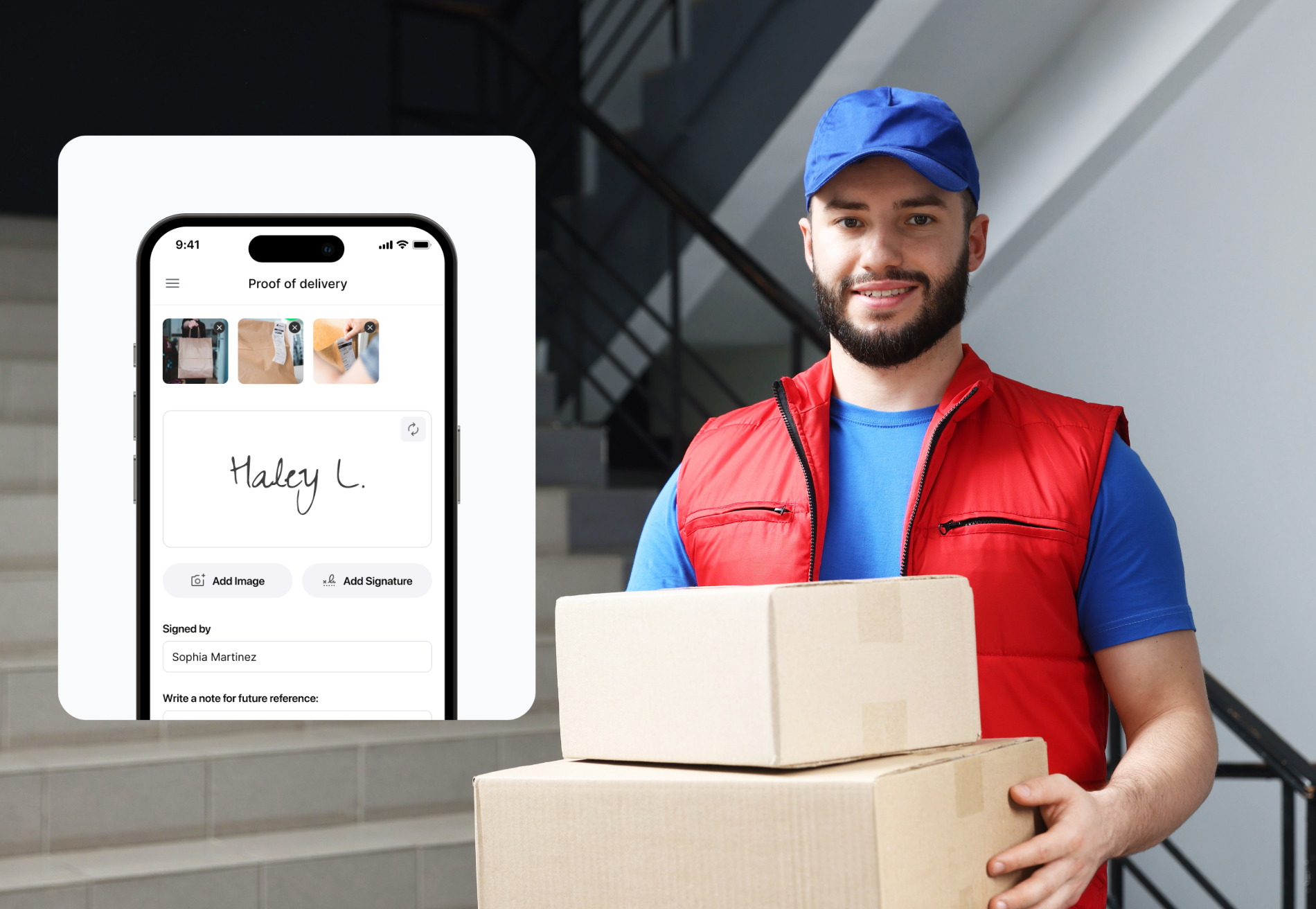
- Photo proof of delivery at drop-off
For florists, that photo confirms the arrangement arrived in good condition. For bakeries, it documents the product's condition at delivery.
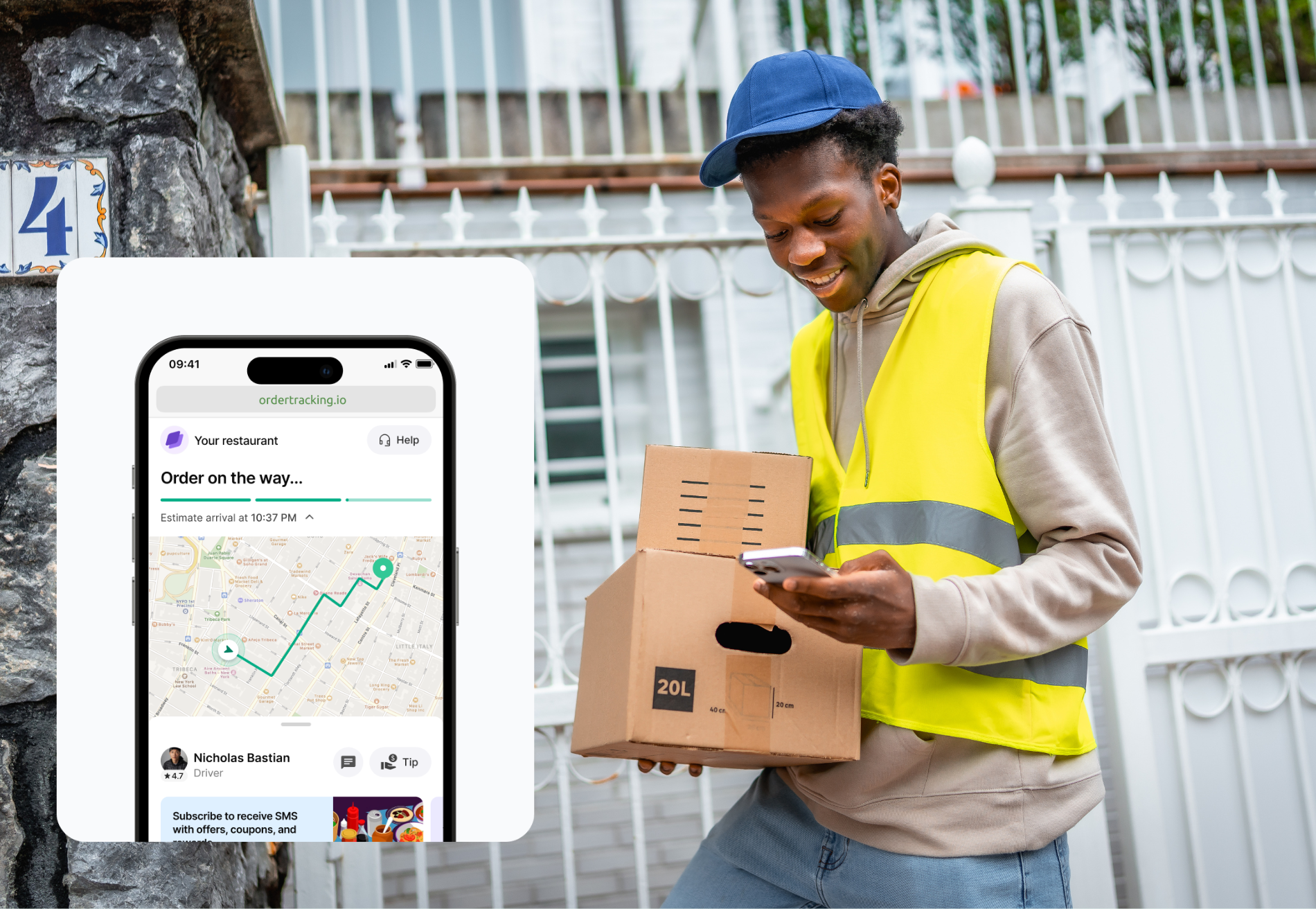
Customers receive a branded tracking link with real-time updates. This is especially useful for gift orders, where the buyer wants visibility without being the recipient.
Shipday also includes route optimization. You can group multiple deliveries into a single run and generate an efficient sequence for your drivers. This becomes critical during holidays, event days, or large batch deliveries.
If you occasionally need extra capacity, Shipday also supports hybrid delivery. You can use your own drivers for nearby orders and hail third-party couriers to supplement your team in real-time.
Shipday’s baseline free plan includes up to 300 deliveries per month. Paid plans start at $39 per month and include features such as advanced routing and branded tracking. One Square bakery owner says that Shipday’s affordability allows their business to “do deliveries cheaper than 3rd party apps even at the small scale of small neighborhood bakery.”
Square Delivery vs. Shipday for Flower Shops and Bakeries
For a deeper look at delivery management strategy for florists, see "How Flower Shops Can Scale Faster With Smarter Delivery Management" on the Shipday blog.
Cartwheel
Cartwheel is another delivery tool that integrates with Square. It includes driver apps, dispatch rules, and customer tracking pages. Some florists use it for features like ID verification when delivering alcohol alongside arrangements. Pricing ranges from $79 to $99+ per month.
Ontime Delivery
Ontime delivery was designed for restaurant delivery, but can support other business types. Like Shipday, Ontime includes a free subscription tier, but Ontime requires a $49 monthly fee for “third-party integration” to communicate with Square. Ontime includes a driver app and automated customer text messaging.
Onfleet
Onfleet is another delivery management system that integrates directly with Square. Onfleet is targeted toward enterprise-level delivery businesses, and the pricing reflects that. The baseline subscription tier (called Launch) starts at $599 per month. It includes 2,500 monthly deliveries with unlimited drivers. This system is only really fit for multi-location or incredibly high volume florists or bakeries.
Frequently Asked Questions
Can Square handle gift delivery where the buyer and recipient are different people?
Yes, with workarounds. Square collects buyer information at checkout. Most shops use manual workarounds to capture recipient details, such as the recipient's name and delivery address. Integrated delivery management software, such as Shipday, adds dedicated fields for recipient name, phone number, and delivery instructions.
Does Shipday work with Square for non-restaurant businesses?
Yes. Shipday integrates with Square Online and Square POS, so florists, bakeries, and other retail businesses can use it.
Can I get proof of delivery for flower or cake deliveries through Square?
Square’s in-house delivery mode does not include proof of delivery. Integrated delivery management software (such as Shipday) adds photo confirmation and delivery timestamps to every order.
Start with Shipday Free Today
If your floral or bakery business needs strong delivery tools, you don’t have to lose your Square POS system to get them. Shipday is the best solution for most independent florists and bakeries that need to strengthen their delivery logistics. It is the most affordable Square-integrated delivery software. It connects to Square in minutes and adds dispatching, tracking, and proof of delivery on top of Square’s excellent order and payment tools.
You can start with the free Shipday plan and handle up to 300 deliveries per month, then upgrade if you need more advanced routing or automation. Start free today and see how Shipday can reduce delivery headaches while growing your business.




.avif)
Table of contents
Related articles
Ready to get started?
Play around with it first, add your team, pay later.


%201.svg)

.svg)