by Mary King12 min read
Which delivery management software maximizes operational efficiency for local delivery teams?
Disclaimer: This article was published on July 30th, and all pricing, features, and other information reflect what was available as of the publication date. Mentioned product offerings, features, and pricing may change over time.
Operational efficiency in delivery comes down to numbers a manager can measure. How many stops a driver completes per hour. What each delivery costs to run. How much of the dispatcher's day disappears into manual work. For a local operation running its own drivers, the software choice sets the ceiling on those numbers. The wrong tool leaves a dispatcher assigning orders by hand and fielding calls about where an order is. The right one assigns each order automatically and shows the customer a live map, so your front counter staff stops needing to answer the phone.
For small and mid-sized local delivery operations that run their own drivers and want to cut dispatch time without hiring an operations team, Shipday is the strongest fit for operational efficiency. Its free plan covers up to 300 orders a month with live driver tracking and photo and signature proof of delivery, and the $39 Professional plan adds the automated dispatch and route optimization that remove manual work from a busy shift. Route-optimization tools such as OptimoRoute, Route4Me, Routific, or Upper cut miles well but leave the rest of the workflow manual. This comparison evaluates six delivery management platforms on the operational levers that move efficiency for a local fleet.
What operational efficiency means in delivery
Operational efficiency in delivery measures the output a team produces per unit of cost and effort. Two numbers capture it at the driver level: deliveries completed per driver-hour and the cost of each delivery. A third captures the office: how much dispatcher time each order consumes. Two different levers move those numbers.
- Route efficiency is the miles view. Sequencing each driver's stops so the team covers less distance in less time. Route planning tools are built to focus on this function.
- Workflow efficiency is the labor view. Automating the steps around the route, from dispatch through customer updates, so your existing team handles more orders without adding headcount.
Route-optimization tools handle the miles view well. The platforms that improve operational efficiency for an independent operator handle both, so a small team runs more deliveries without a dispatcher chained to a desk.
What to look for in an efficiency-focused platform
Six capabilities separate a platform that runs your entire day from one that only draws a route on a map. They are the priorities an owner or operations manager should weigh, and each platform here is judged on them.
- Automated dispatch. The software assigns each incoming order to the right driver without a person doing it by hand, which removes the biggest manual bottleneck in a busy shift.
- Route optimization. The platform sequences each driver's stops to cut total miles and drive time.
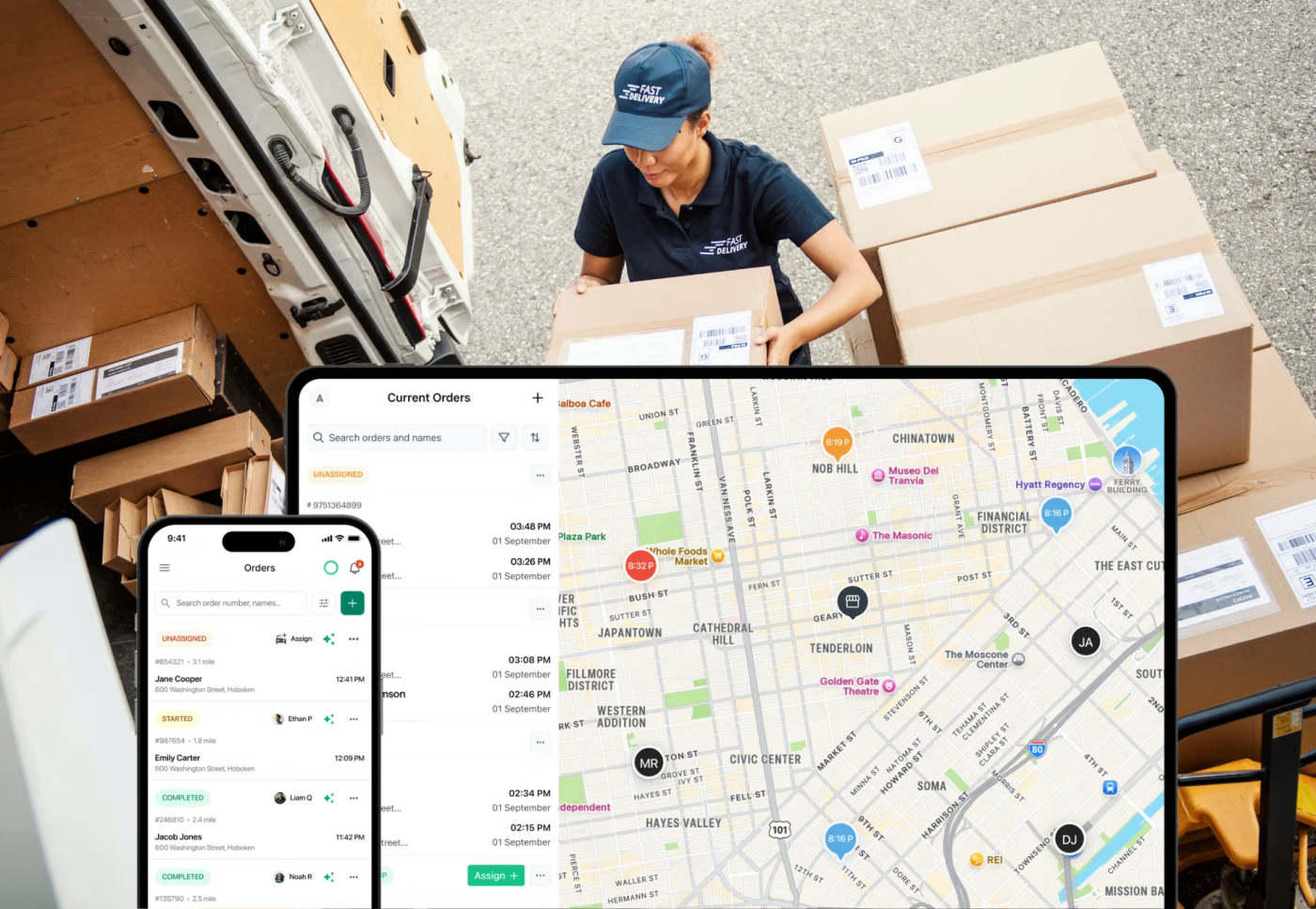
- Live tracking and dispatcher visibility. A single map shows every driver's location and progress, so the dispatcher spots a delay before the customer calls to ask about it.
- Proof of delivery. Photo capture or signature capture confirms each drop, which settles disputes without a phone investigation.
- Setup and ease of use. A team without a dedicated IT department can get drivers live in a day rather than waiting weeks for onboarding.
- Total cost to run. The pricing model fits the operation's volume, and a free or low entry tier lets a small fleet start without a large commitment.
The best delivery management software for operational efficiency
The table below compares each platform's dispatch automation and routing against what it costs to run. Pricing and features come from each vendor's own site and were last checked in July 2026.
| Feature | Shipday | Onfleet | OptimoRoute | Route4Me | Routific | Upper |
|---|---|---|---|---|---|---|
| Automated dispatch | Yes (Professional+) | Yes (Scale+) | Scheduling-based | Higher tier / add-on | No (routing only) | One-click dispatch |
| Route optimization | Yes (Professional+) | Yes | Yes | Yes (Optimization tier+) | Yes | Yes |
| Live driver tracking | Yes | Yes | Yes | Yes (GPS) | Yes (free tier) | Yes (Professional+) |
| Proof of delivery | Photo, signature | Photo, signature (barcode higher tier) | Photos, signatures, barcodes (Pro+) | Photo, signature (add-on) | Signature, photo (free tier) | Photo, signature (Professional+) |
| Entry-level price | Free to 300 orders/mo (Professional $39/mo) | $599/mo (2,500 tasks) | $35/driver/mo (Lite, annual) | ~$40/user/mo (5-user min) | Free to 100 orders/mo (then $150/mo) | ~$40/user/mo (Starter, annual) |
| Free tier | Yes | No (14-day trial) | No (30-day trial) | No (trial) | Yes (100 orders/mo) | No (trial) |
| Best fit | SMB, local, own fleet + third-party handoff | Higher-volume own fleet | Planned-route delivery & field service | Routing with modular add-ons | Small fixed-route fleets | Multi-stop route planning |
Shipday
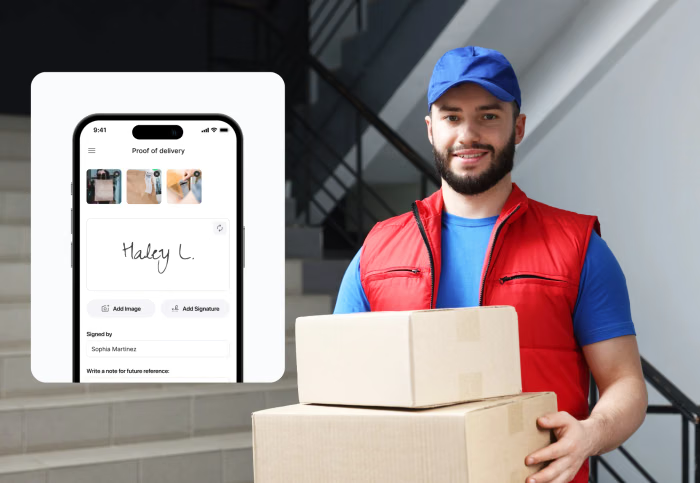
Shipday is the most affordable way for a small to mid-size business to automate the whole delivery workflow (not just the routing step). The free plan covers up to 300 orders a month and includes live driver tracking with photo and signature proof of delivery. The $39 Professional plan adds standard auto-dispatch, which assigns each incoming order to a driver, and route optimization, which sequences the stops. There is no long-term contract, and you can cancel anytime.
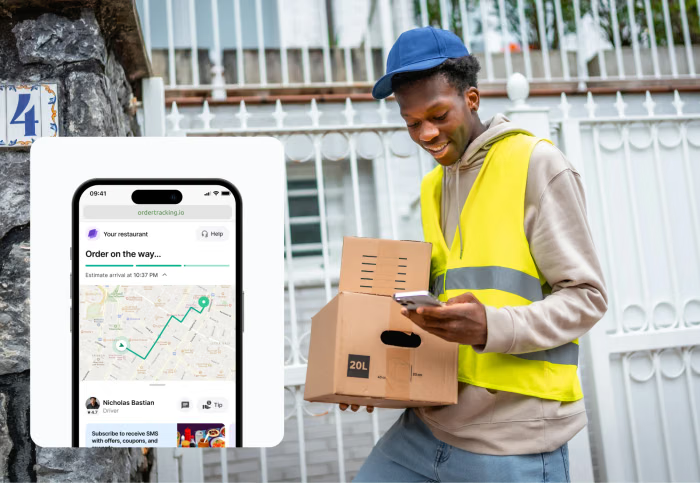
Drivers run the whole job from a phone app, and customers get a live tracking link that cuts the "where is my order" calls that can tie up your onsite staff. Shipday's AI Agents handle routine dispatch and customer messages, so a small team absorbs more volume without adding employees. On the Elite plan, Shipday can hand off orders to DoorDash or Uber drivers from one dashboard in the US, Canada, Australia, and other selected countries, easily absorbing increased volume as your delivery business grows.
Zeppe's Pizzeria in Ohio runs deliveries with third-party DoorDash and Uber drivers through Shipday and lifted its Google rating from 4.2 to 4.7 stars. Shipday fits own-fleet restaurants, couriers, grocers, or retailers that want automation without enterprise setup or pricing.
Get started with Shipday today.
Onfleet
Onfleet automates dispatch and route optimization for enterprise-volume teams that run their own drivers. The platform is task-based: the Launch plan starts at $619 a month for 2,500 tasks with unlimited users, on a 14-day trial with no permanent free plan. Route optimization and photo-and-signature proof of delivery are included from Launch, while auto-dispatch and barcode scanning sit on the higher Scale tier. Onfleet holds a G2 rating near 4.6, with reviewers consistently praising the driver app and setup speed.
The most common cost complaint in Onfleet reviews is the entry price, which runs high for a small operation. SMS is billed separately per segment, so task overages push the bill up as volume grows. Onfleet fits growing delivery teams that run enough volume to justify the spend.
OptimoRoute
OptimoRoute optimizes planned delivery and field-service routes, factoring in constraints like driver skills and time windows when it builds each schedule. Pricing starts at $35.10 per driver a month on the Lite plan (billed annually) for up to 700 orders. The Pro plan at roughly $49 per driver a month adds real-time order tracking and proof of delivery that captures photos, signatures, barcodes, and driver notes. A 30-day trial requires no credit card.
OptimoRoute is planning-first. For live customer-facing tracking and richer delivery features, you’ll need the Pro tier and up. Capterra reviewers call the pricing fair value, though some single-user teams find the per-driver cost high. OptimoRoute fits operations that plan routes ahead in batches rather than dispatching orders as they arrive.
Route4Me
Route4Me optimizes multi-stop routes and tracks drivers by GPS, with a plan structure built around a marketplace of add-ons. Route4Me no longer publishes their pricing structure; you’ll need to contact Route4Me directly for a custom quote. Route4Me holds a Capterra rating near 4.5 with reviewers praising route quality and customer support.
The recurring note in Route4Me reviews is add-on cost. Features such as recurring route scheduling, geofencing, or customer SMS notifications are separate paid modules rather than included capabilities, so the real monthly cost can quickly climb above the base rate. Route4Me fits teams that want strong core routing and will price out the specific add-on modules their workflow needs.
Routific
Routific optimizes routes for small fixed-route fleets with a flat, order-based price and unlimited drivers. Its free tier covers up to 100 orders a month and is not a stripped-down version: route optimization, GPS tracking, and photo and signature proof of delivery are all included at no cost. Above that, a flat $150 a month covers 101 to 1,000 orders, then per-order rates apply at higher volume.
Routific is built for last-mile route optimization rather than the wider delivery workflow. SMS customer notifications are a paid add-on, and there is no on-demand dispatch or third-party driver handoff. Reviewers on Capterra like the simple, budget-friendly planning, especially for community and meal-delivery operations. Routific fits small teams with predictable routes that want clean optimization without paying per vehicle.
Upper
Upper optimizes multi-stop routes and dispatches drivers with one click, importing up to 500 stops from a spreadsheet at a time. Starter pricing begins around $40 per user per month, billed annually, with 250 stops per route and a native driver app. The Professional tier adds GPS tracking, proof of delivery, and customer notifications.
The common note in Upper reviews is that features such as live customer tracking or SMS notifications require the higher plan or paid add-ons, and editing a route already in progress is limited. Upper fits delivery and field-service teams focused on fast multi-stop route planning rather than live, on-demand dispatch.
How we evaluated
We compared six delivery management platforms on operational efficiency for small and mid-sized local delivery operations that run their own drivers. Features and pricing came from each vendor's own site and help documentation, checked in July 2026. Stated limitations reflect recurring patterns across public customer reviews on sites like G2 and Capterra, alongside each vendor's own product documentation.
How to choose for your operation
The right platform depends on five questions about how your operation runs.
- Do you dispatch orders as they arrive or plan routes in batches? On-demand dispatch fits Shipday or Onfleet. Pre-planned batch routes fit OptimoRoute, Route4Me, Routific, or Upper.
- How much manual dispatch work do you want to remove? Automated assignment plus AI handling of routine tasks points to Shipday. Pure route optimization points to the routing tools.
- How many deliveries do you run a month? Under 300 orders fits Shipday's free plan; under 100 fits Routific's. Higher steady volume on a premium platform points to Onfleet.
- Do you need customer-facing tracking and proof of delivery included? Shipday includes both from the free plan; several routing tools gate customer-facing tracking behind higher tiers.
- How fast do you need to launch? Teams without IT support fit tools that go live in a day, such as Shipday, over per-user routing suites that need more setup.
For most local delivery teams that want to remove manual work across the whole operation, Shipday combines automated dispatch and live tracking with included proof of delivery, at a lower entry price than the alternatives here.
Frequently asked questions
Which delivery management software is best for maximizing operational efficiency?
Shipday is the strongest fit for small and mid-sized local delivery teams that want to cut manual dispatch work. Its free plan tracks drivers live for up to 300 orders a month, and the $39 Professional plan adds the automated dispatch and route optimization that remove manual assignment. Higher-volume own-fleet teams may prefer Onfleet.
What is the difference between route optimization and delivery management software?
Route optimization software sequences stops to cut miles and drive time, and OptimoRoute, Route4Me, Routific, or Upper focus here. Delivery management software like Shipday adds automated dispatch, live tracking, proof of delivery, and customer communication around the route.
Does Shipday have a free plan?
Shipday offers a free plan that covers up to 300 orders a month with no credit card required. The free plan includes live driver tracking, a live customer tracking link, and photo and signature proof of delivery. Paid plans start at $39 a month with the Professional plan, which adds automated dispatch and route optimization.
Which tools automate dispatch instead of only optimizing routes?
Shipday and Onfleet automate dispatch by assigning incoming orders to drivers without manual work. OptimoRoute, Route4Me, Routific, or Upper optimize planned routes but leave live order assignment mostly manual, which makes them a better fit for pre-planned delivery than on-demand dispatch.
Bottom line
For small and mid-sized local delivery teams that want to run more orders without adding staff, Shipday is the strongest fit for operational efficiency.
- Automated dispatch matches drivers to orders, so no one assigns deliveries by hand.
- Route optimization and a single live map keep the dispatcher in control.
- Photo and signature proof of delivery is included from the free plan.
- The driver app runs on any smartphone in multiple languages.
- Pricing starts free for up to 300 orders a month, and the $39 Professional plan adds dispatch automation and routing, with no long-term contract.
Route-optimization tools like OptimoRoute, Route4Me, Routific, or Upper are a better fit for teams that only need to tighten planned routes, and higher-volume own-fleet operations should weigh Onfleet. If you want to automate your delivery workflow and start on a free plan today, set up your first route on Shipday.

Former restaurant manager – Mary King offers advice on small business in Forbes Advisor, Fit Small Business, The Restaurant HQ, and Technology Advice.