Picture your best regular. Call him Dom. He orders a $40 pizza-and-wings dinner twice a month, every month, always through DoorDash. By December, that’s 24 orders and $960 in food. On DoorDash’s Plus plan, you paid $240 in commission to deliver dinner to someone who already knew your name.
Here’s the short answer: set up direct delivery in five pieces, in this order, over 30 days: your Google listing, your website, ordering and fulfillment, bag flyers, and SMS. Keep the apps for finding new customers. Move your regulars to direct. Then track one number: the share of your delivery orders that come in direct.
There is not exactly a demand problem. In the National Restaurant Association’s 2026 State of the Restaurant Industry report, 56% of delivery customers said they’d rather order directly from the restaurant. The problem is the path. A lot of restaurants are quietly steering regulars to the apps (a Google listing that points to DoorDash, an order button buried three clicks deep) without realizing it.
How much does a regular cost you on DoorDash vs. ordering direct?
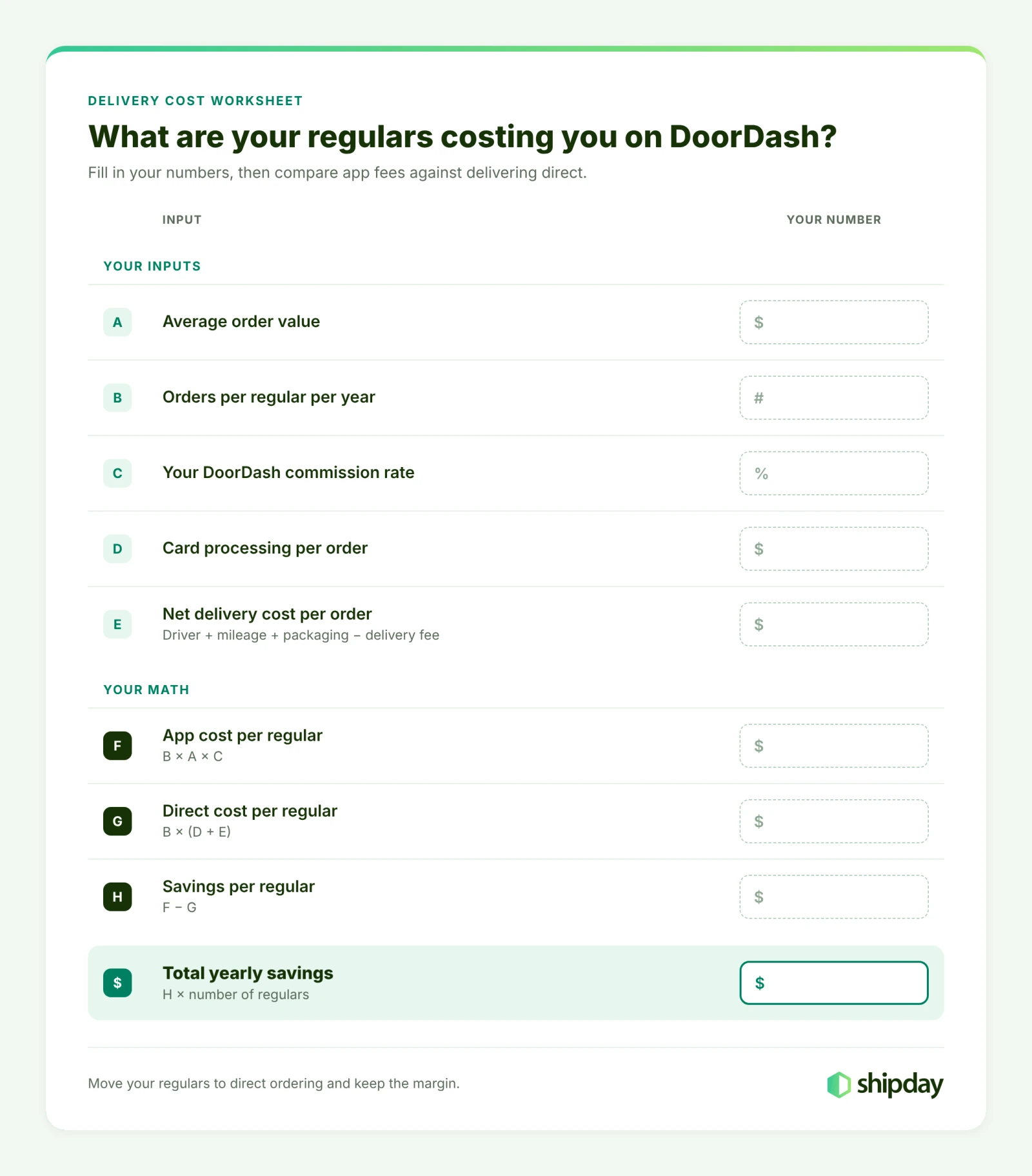
A regular who taps in an order on DoorDash twice a month costs you $15 to $159 more per year than they would ordering direct, depending on your plan. Here’s the math:
- Annual app cost per regular = orders per year × order value × commission rate
- Annual direct cost per regular = orders per year × (card processing + net delivery cost)
DoorDash’s marketplace plans charge 15% (Basic), 25% (Plus), or 30% (Premier) on delivery orders, and that commission already includes card processing. On your own ordering, you pay processing yourself: 2.9% to 3.3% plus 30 cents at Square and Stripe. That’s about $1.50 on a $40 order.
And don’t forget that you pay to deliver it. Here’s what one 20-minute, three-mile run costs, using the method from our guide to pricing delivery:
- The driver: $18 an hour for 20 minutes is $6.
- The mileage: three miles at the IRS rate of 76 cents a mile is $2.28.
- The packaging: a bag, containers, and a sticker run about 60 cents.
That’s $8.88 per delivery. Charge the customer a $4.99 delivery fee, and you’re still paying $3.89.
On Plus or Premier, moving a regular to direct saves $111 to $159 a year. If you can flip 100 regulars, that’s $11,100 to $15,900. On Basic, the savings shrink to a not-so-whopping $15 per regular. But there, the fee was never the point. Owning the customer is: their phone number, their order history, and the chance to bring them back without paying for the privilege.
Run your own numbers:
One more lever is price parity. When the FTC opened a rulemaking on delivery fees in April 2026, it looked at restaurant markups that leave app prices as much as 20% higher than in the restaurant.
How do you make Google send customers to your own ordering page?
Set your own ordering link as the preferred provider in your Google Business Profile, then remove the apps you don’t want shown. For many regulars, Google is the front door, and by default it may be sending them straight to a marketplace.
In your Business Profile, open Food ordering, choose your own ordering link, and set it as preferred for pickup and delivery. Preferred doesn’t hide the other providers. It puts yours first. To take a third-party provider off your profile, Google’s help page says you request removal, and the provider has five business days to act. Search Engine Journal reported in late October 2026 that Google is adding a switch to turn individual providers off yourself, so look for it in your profile.
While you’re in there:
- Add delivery to your services and attributes, and set delivery hours if they differ from your dining hours.
- Link your menu.
- Publish a post announcing direct delivery, with a photo of your branded packaging.
Then fix every other listing. Apple Maps, Yelp, Facebook, and your Instagram bio should all point to your ordering page, not an app. Every DoorDash link you control is a commission you chose to pay.
What does a restaurant website need to convert direct orders?
One big "Order delivery" button on every page. A diner who clicked through from Google already wants to order, so make the button easy to find.
Below it, answer the questions that otherwise send people back to the app: your menu with prices, delivery area, minimum order, delivery fee, and delivery time. Show the full price, fees included, before checkout. Apps that reveal fees at the last step are exactly what the FTC is looking at, and its rulemaking asks about restaurants’ own delivery fees too.
You may also want to add a short "Why order direct?" strip: lower prices than the apps, faster help if something goes wrong, and loyalty points.
Make your site agent-ready
AI assistants are starting to shop for people. Adobe reported that AI-referred traffic to US retail sites grew 393% year over year in the first quarter of 2026, and 39% of US consumers say they’ve used AI to shop. Fully autonomous ordering is still early, though. Only 5% of US consumers had used an AI agent to place an order as of May 2026, according to NIQ.
Getting ready is cheap. Add Restaurant and Menu schema markup to your site, with an order action that points to your ordering page, so search engines and AI assistants find your direct link instead of an app’s. Direct is usually the cheapest way to order, which gives an agent hunting for the best price a reason to pick you, as long as it can read your site.
How do customers order direct, and who delivers it?
Customers order through one of three paths, and all three feed into Shipday for dispatch:
- Your POS’s online ordering, such as Toast or Square.
- A standalone ordering system, such as ChowNow, UpMenu, or Menufy.
- Phone orders, which Shipday’s AI Receptionist answers 24/7 and turns into orders.
Don’t write off the phone. In a 2026 study of 12,091 restaurant calls by voice AI company Revmo, quick-service restaurants answered only about 60%. Pizza shops answered 93%, but they’ve been in the delivery game for decades.
DoorDash also offers its own commission-free Online Ordering, with processing of 2.9% to 3.3% plus 30 cents. It’s a real option. The tradeoff is that your direct channel then runs on a marketplace’s platform.
The obvious objection is that you don’t want to run a fleet. You don’t have to, at least not right away. Deliver with your own drivers when you have them, and use DoorDash Drive or Uber Direct for overflow, all from one dashboard. On-demand services charge a flat fee per delivery instead of a percentage of the order, and DoorDash Drive lists $6.99 to $10.99. That’s more than the $3.89 net cost in our example, so treat on-demand as backup for rushes and bad weather, not as a way to save.
How do you turn app customers into direct customers?
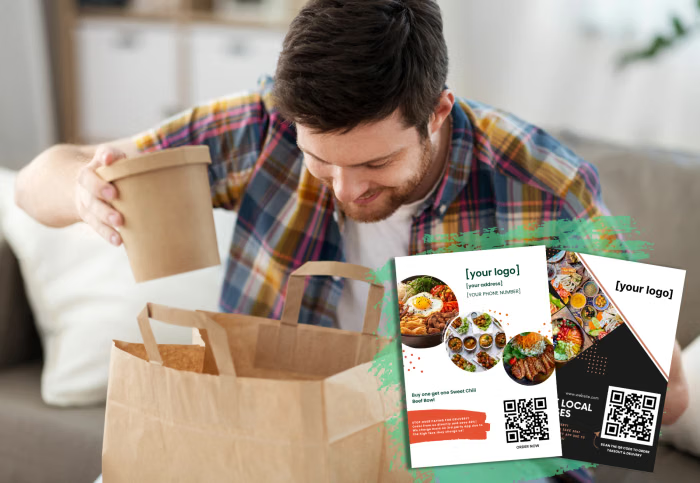
Put a flyer or sticker in every marketplace bag with a QR code to your ordering page and a first-direct-order offer, like $5 off $25. Size the QR code so it scans easily, and give each app its own promo code so you can see which platform’s customers convert. Check your marketplace agreements before you start.
Toast users can create flyers and print a direct-order QR code on third-party receipts. For the full playbook, see our guide to converting delivery app customers to direct orders.
How do you use SMS to bring customers back without breaking the law?
Get written consent, register your number, and keep order updates separate from promotions. Texting works because people actually read their texts. (Unlike your email newsletter.) But done carelessly, it’s also the fastest way to get sued.
Marketing texts need prior express written consent (that’s what the opt-in checkbox at checkout is for), and TCPA fines run $500 to $1,500 per text. Your number also needs 10DLC registration, which your SMS provider usually handles. Keep order updates and promotions separate, since they need different consent.
This isn’t legal advice. Talk to a lawyer before your first campaign.
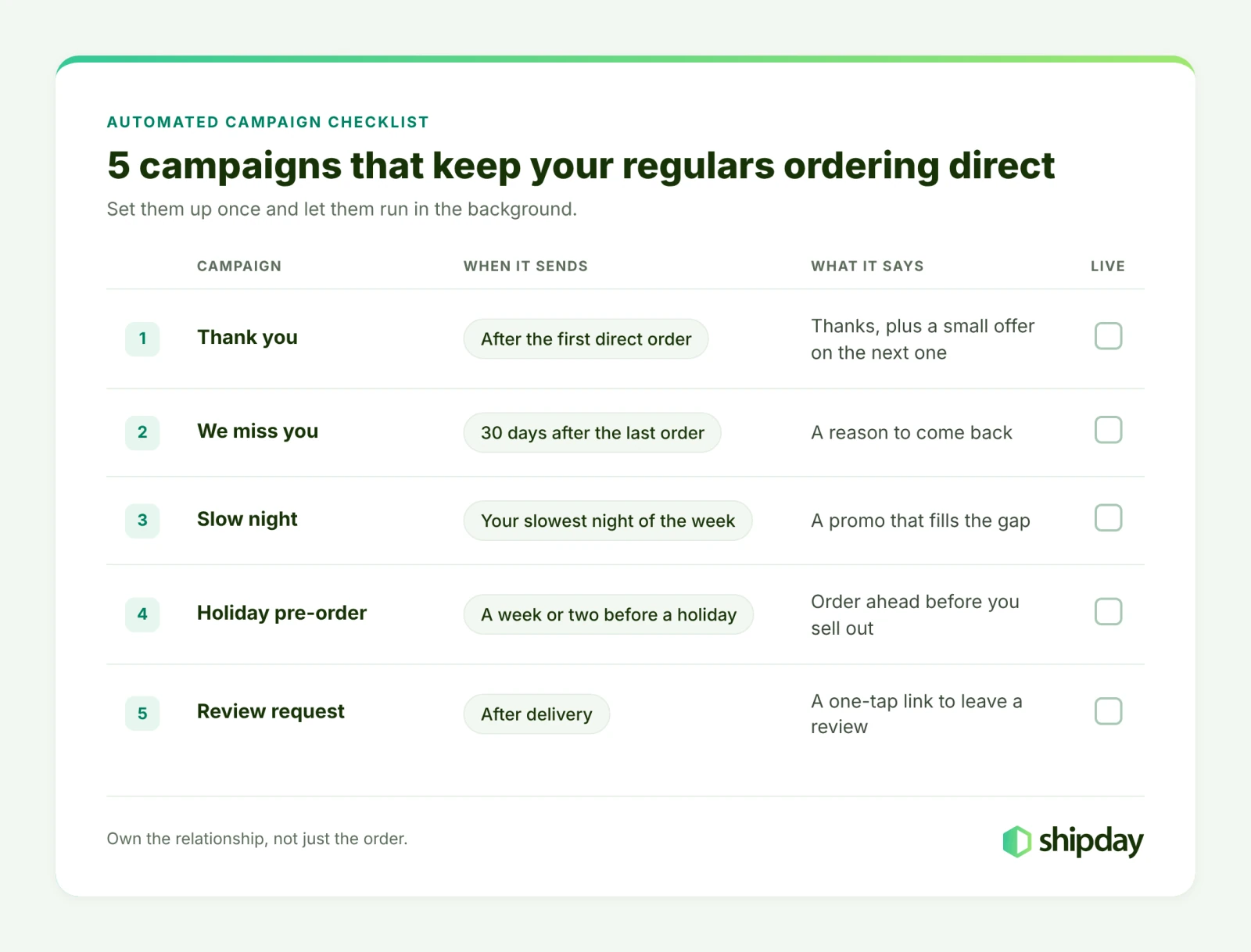
Once you’re set up, these five campaigns are worth running:
| Campaign | When it sends | What it says |
|---|---|---|
| Thank you | After the first direct order | Thanks, plus a small offer on the next one |
| We miss you | 30 days after the last order | A reason to come back |
| Slow night | Your slowest night of the week | A promo that fills the gap |
| Holiday pre-order | A week or two before a holiday | Order ahead before you sell out |
| Review request | After delivery | A one-tap link to leave a review |
Your tracking page is a channel too. Every direct order sends the customer a branded tracking link, so put a promo or a loyalty sign-up on it while they wait.
What should you do in your first 30 days?
Tackle one piece a week: Google and your website in week one, ordering and delivery setup in week two, bag flyers in week three, and SMS opt-in and your first campaigns in week four.
Then track one number every month: direct order share, or direct delivery orders divided by all delivery orders. Review it next to the commission dollars you saved, and use our guide to delivery performance metrics for what else to watch.
If direct share climbs while total orders hold steady, it’s working.
Start with Dom
Remember Dom? Odds are he’d already rather order from you. The only thing between him and your ordering page is the path you haven’t built yet. Start on Shipday’s free plan and run direct delivery, with your own drivers and on-demand backup, from one dashboard.
Start with your regulars
Run direct delivery with your own drivers and on-demand backup from one dashboard.

I am writing about content marketing, marketing trends, restaurant technology, tips on restaurant management and more.