
Zelty integration with Shipday
Activate the Shipday plugin in Zelty, then use the API key Zelty generates to complete the connection in Shipday.
-
You need a Shipday account, access to your Zelty back office, and permission to activate the Shipday plugin in the Zelty Marketplace. Create your free Shipday account here (if you don’t have one)
-
Log in at bo.zelty.fr, open
Marketplace, search forShipdayand open its plugin page.
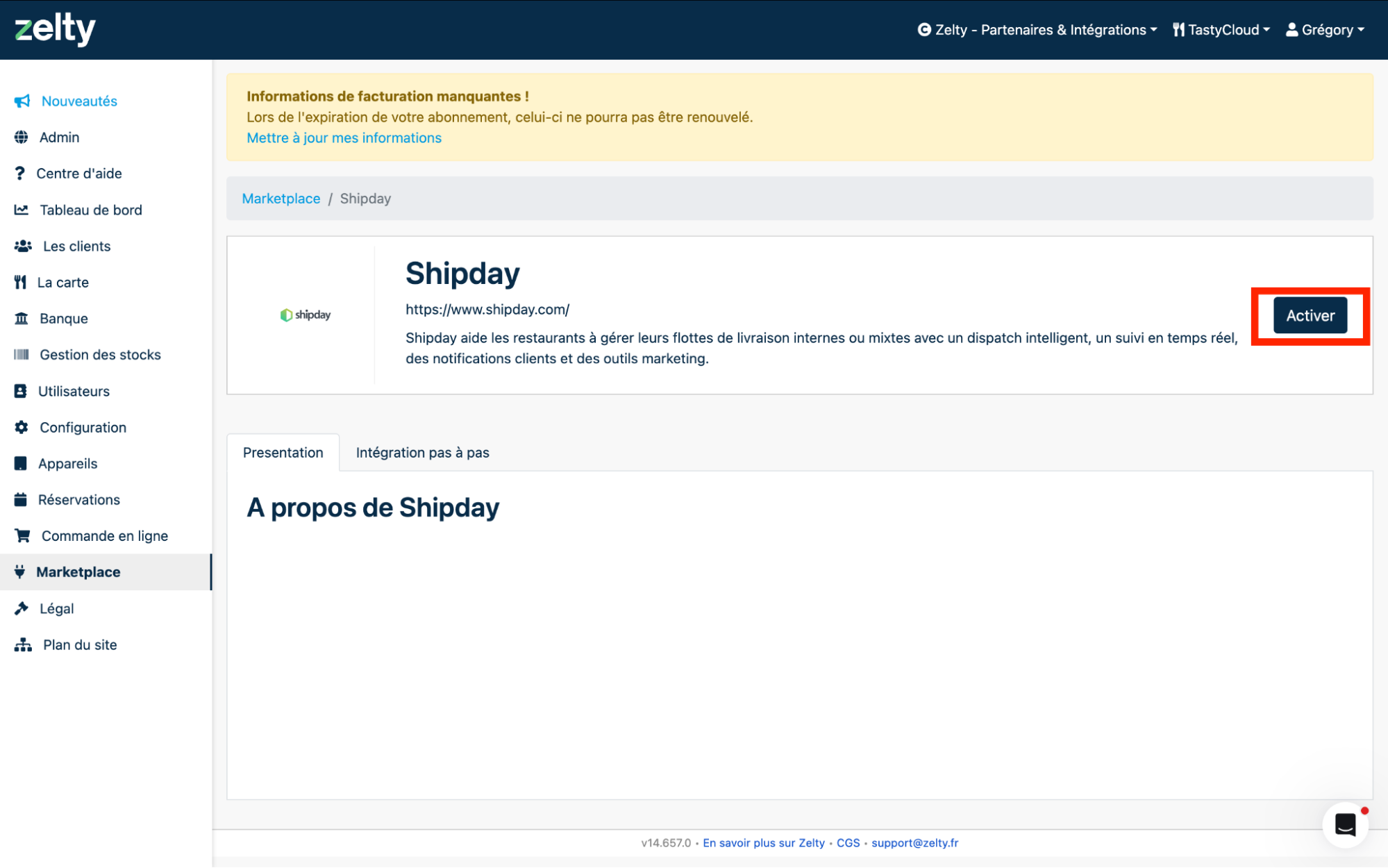
- Click
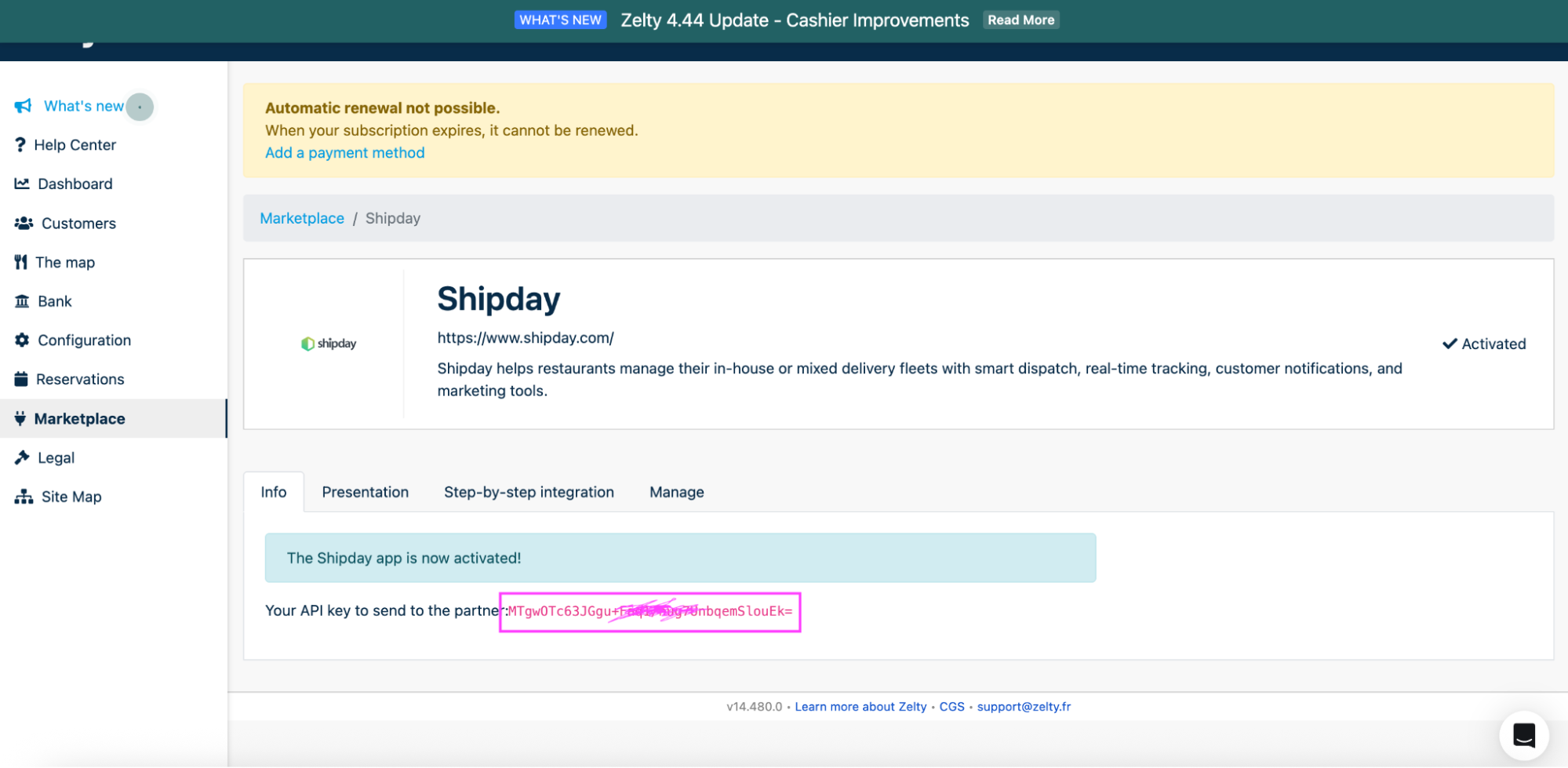
Activate. Once the plugin is active, copy the API key generated by Zelty.
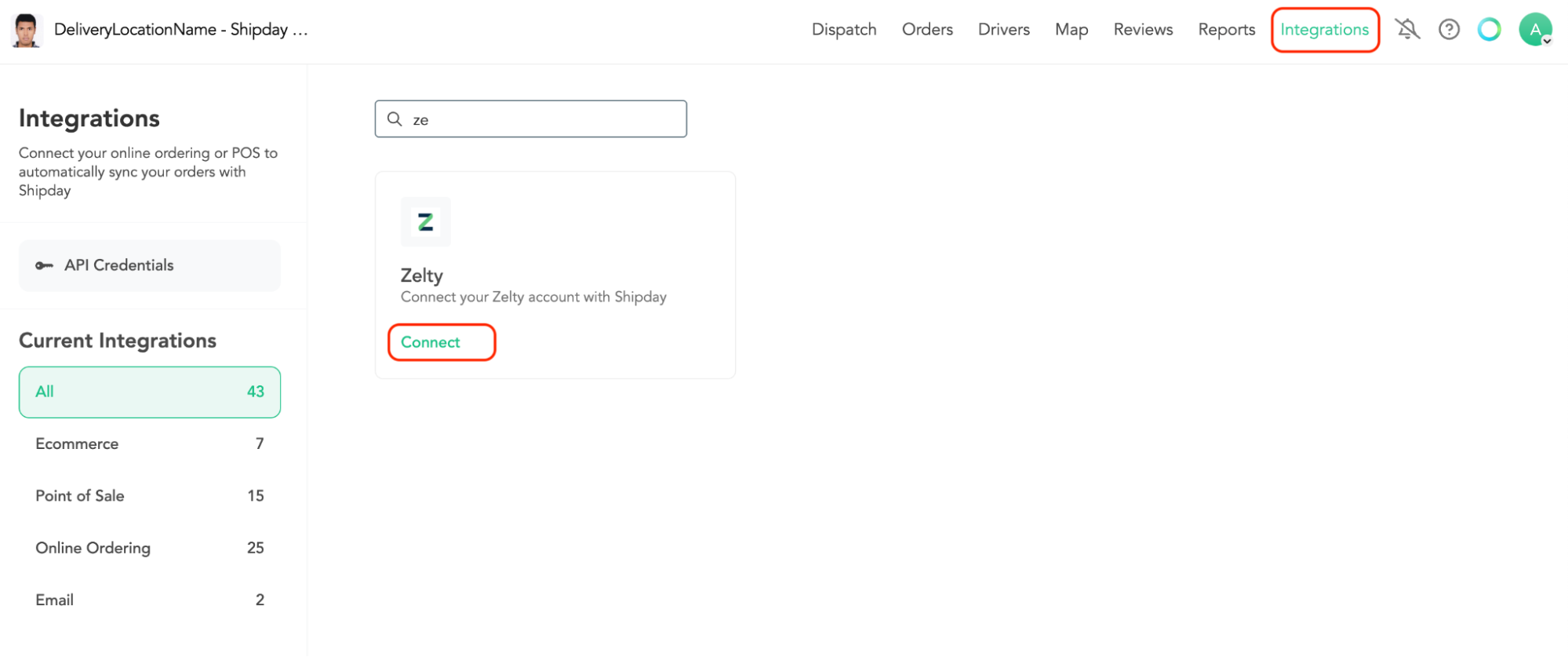
- Log in at dispatch.shipday.com, go to
Integrations, search forZeltyand clickConnect.
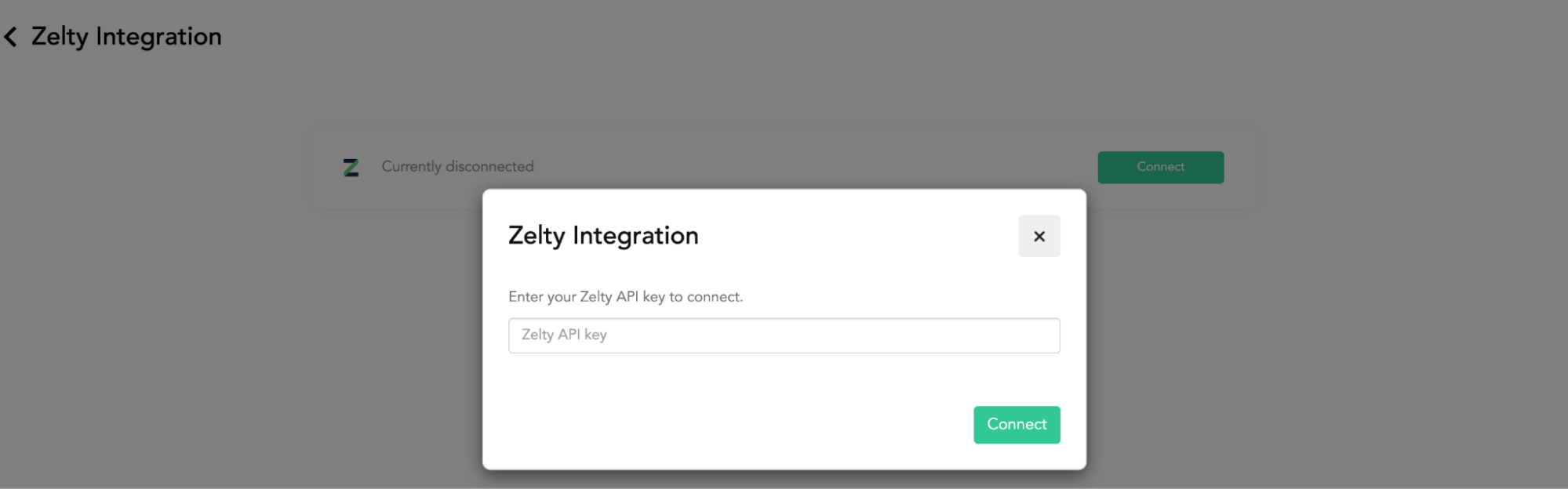
- Paste the API key generated by Zelty into the
Zelty API keyfield, then clickConnect.
- Place a test delivery order in Zelty and check that it appears in the correct Shipday account.
If you need help, email support@shipday.com with the subject “Zelty integration help”. Include your Shipday account email, store name and the step where you need assistance.
Need help? Email support@shipday.com
Ready to get started?
Play around with it first, add your team, pay later.