
PrestaShop integration with Shipday
Connect your PrestaShop store to Shipday by installing the Shipday integration module and adding your Shipday API key.
-
You need a Shipday account, access to your PrestaShop administration panel, and permission to upload and configure modules. Your Shipday API key is available from
My AccountorIntegrations>API Key. Create your free Shipday account here (if you don’t have one) -
In Shipday, open
Integrations>PrestaShop>Connectand use the download link to getshipdayintegrationmodule.zip. In PrestaShop, go toModules>Module Manager>Upload a moduleand upload the ZIP file.
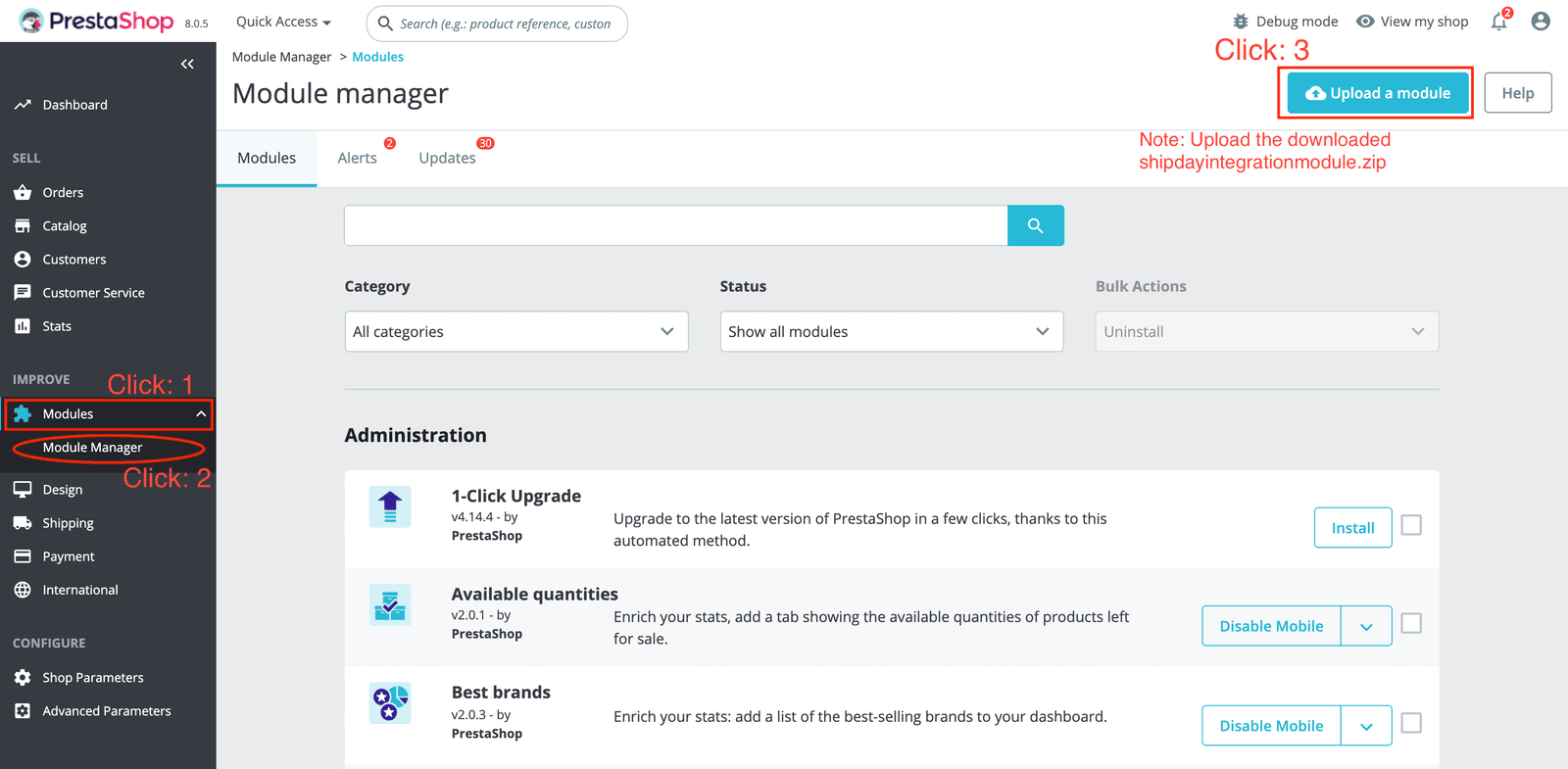
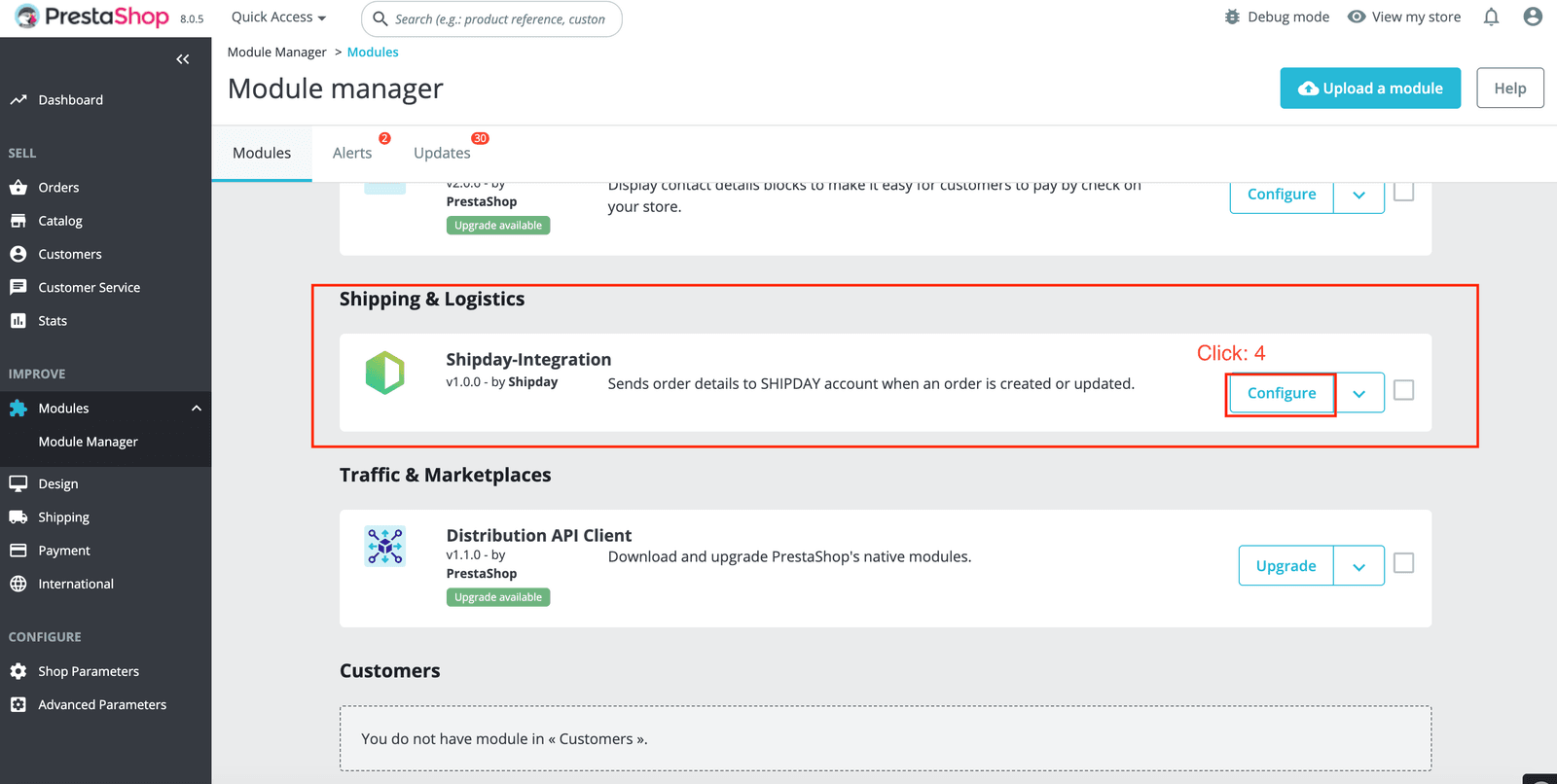
- After installation, find
Shipday-Integrationunder Shipping & Logistics and clickConfigure.
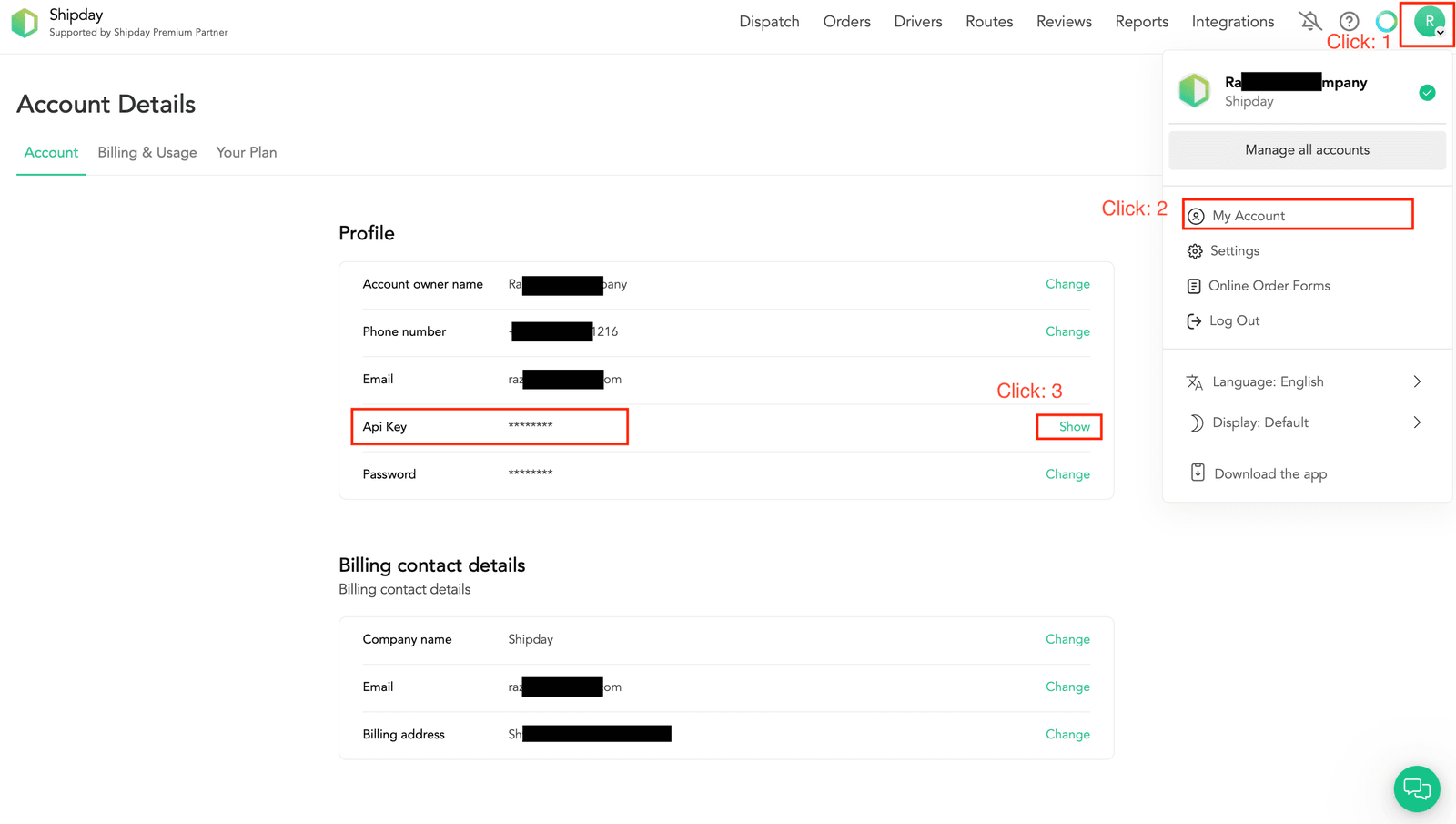
- In Shipday, open the profile menu >
My Account. In the API Key section, selectShow.
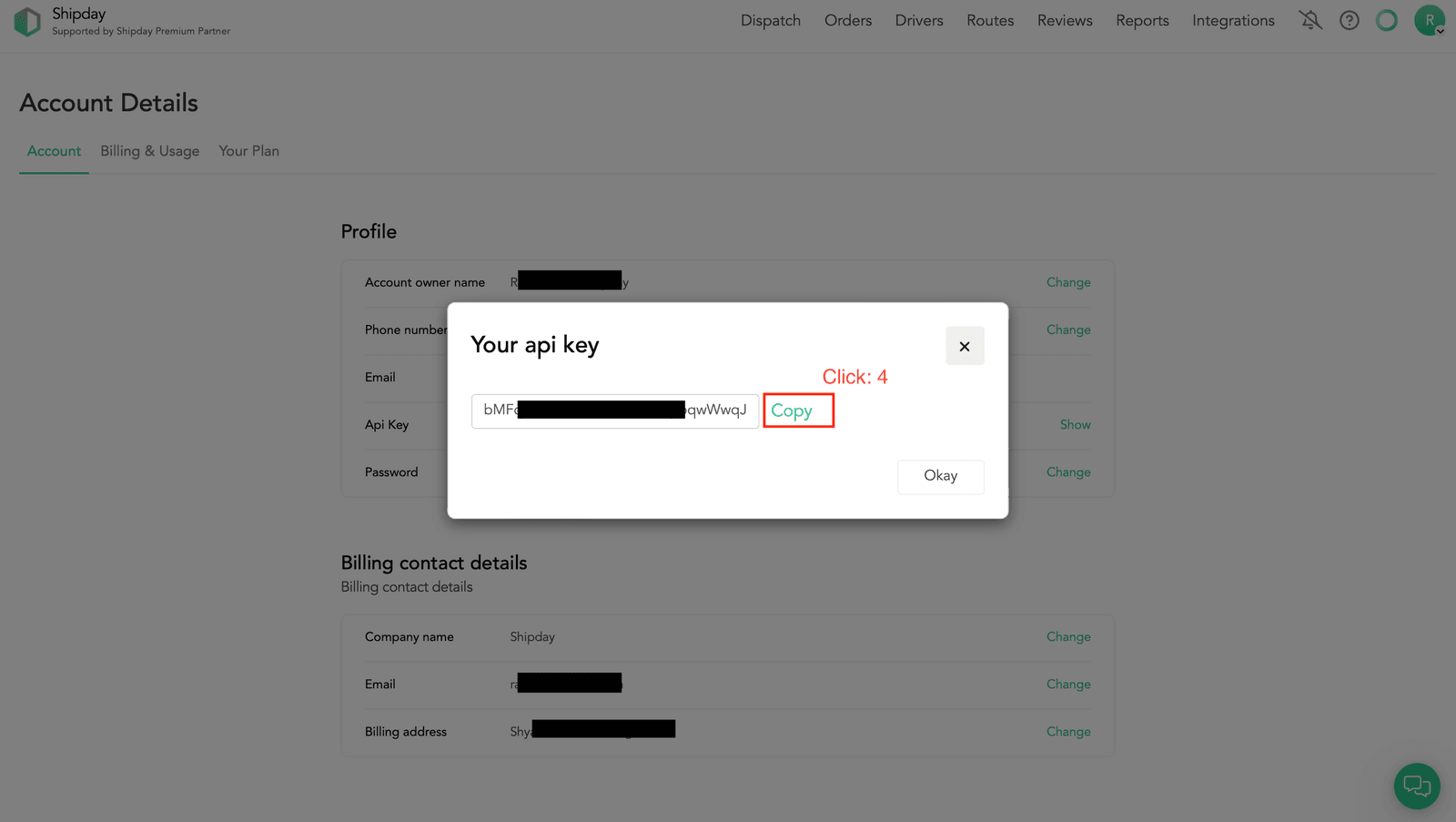
- Click
Copyin the API key window.
- Return to the Shipday module settings in PrestaShop, paste the key into the
API Keyfield and clickSave.
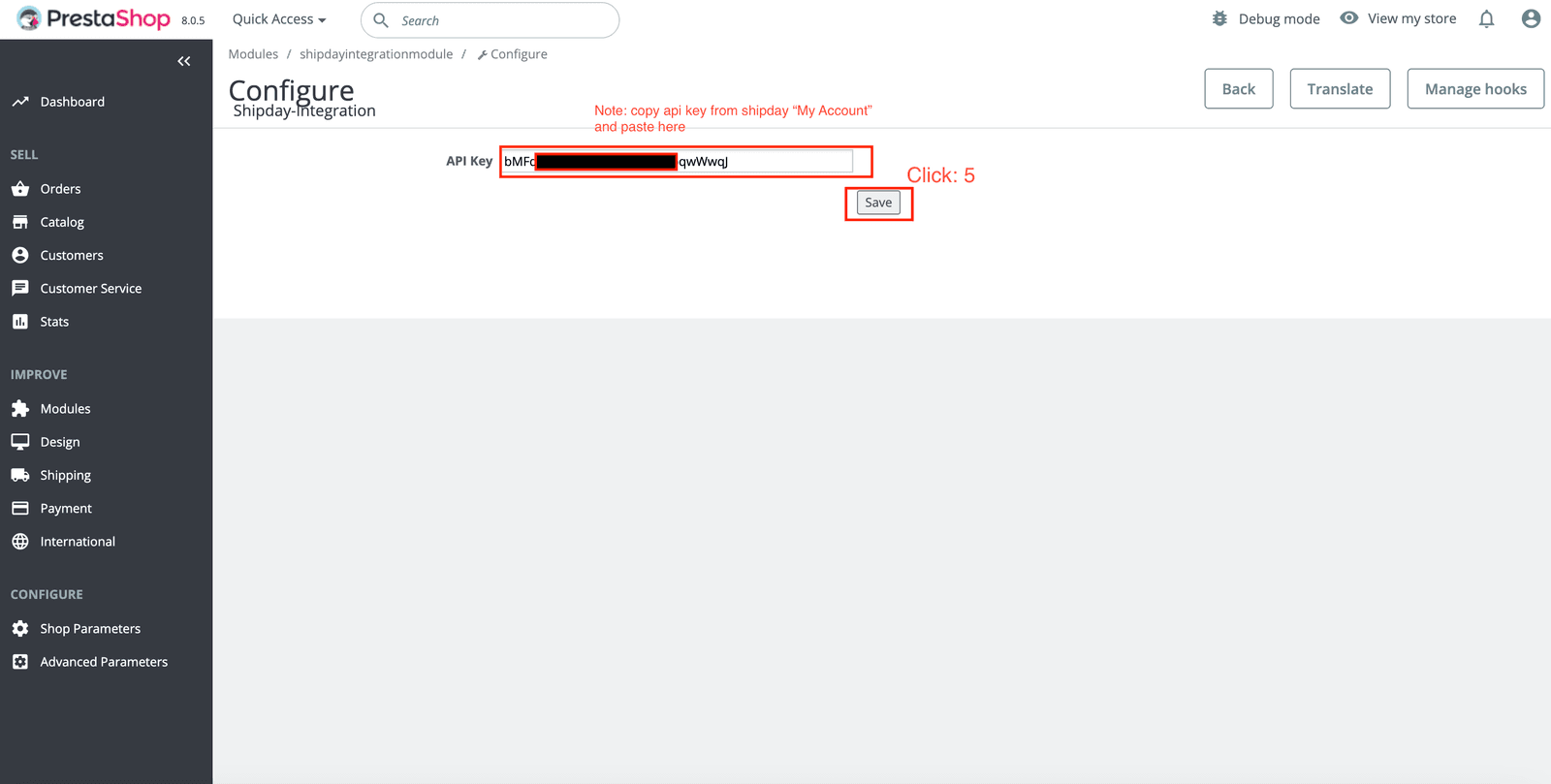
- Place a test delivery order in your PrestaShop store and confirm that the order appears in the correct Shipday account.
If you need help, email support@shipday.com with the subject “PrestaShop integration help”. Include your Shipday account email, store name and the step where you need assistance.
Need help? Email support@shipday.com
Ready to get started?
Play around with it first, add your team, pay later.