
HungerRush integration with Shipday
Connect your HungerRush store to Shipday with its store ID and business details. Only self-delivery orders are sent to Shipday, whatever the order source.
-
You need a Shipday account and your HungerRush store ID, plus your store name, phone number, email and address. Create your free Shipday account here (if you don’t have one)
-
Log in at dispatch.shipday.com, go to the
Integrationstab, search forHungerRushand clickConnect.
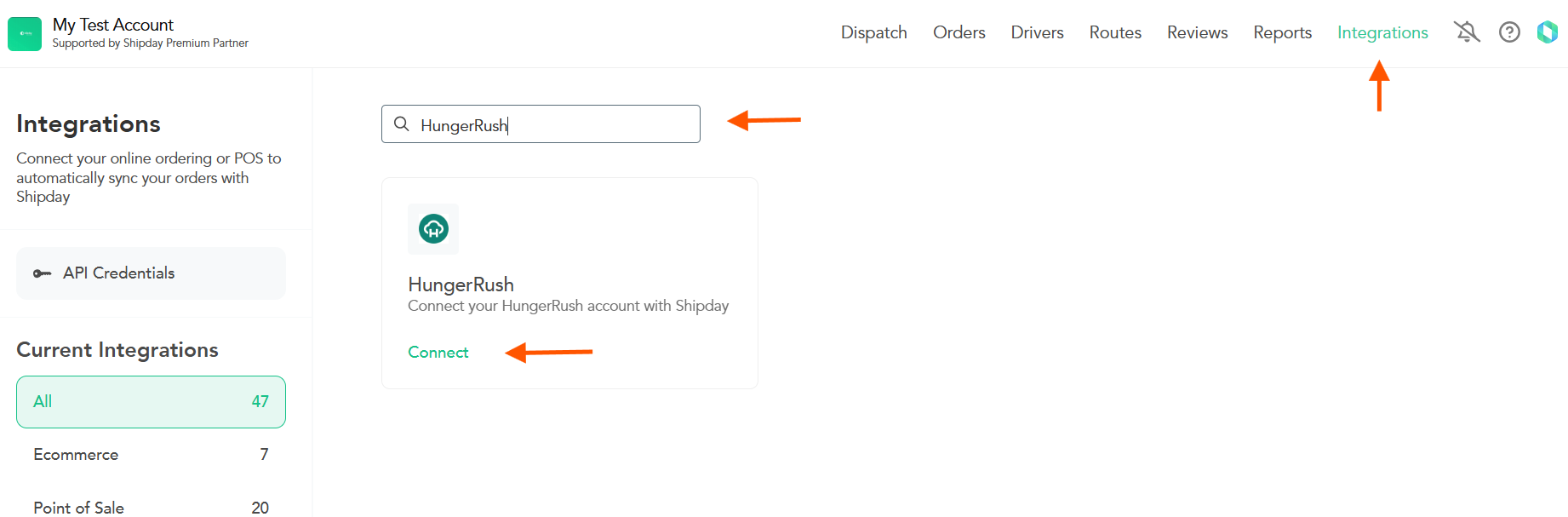
- Click
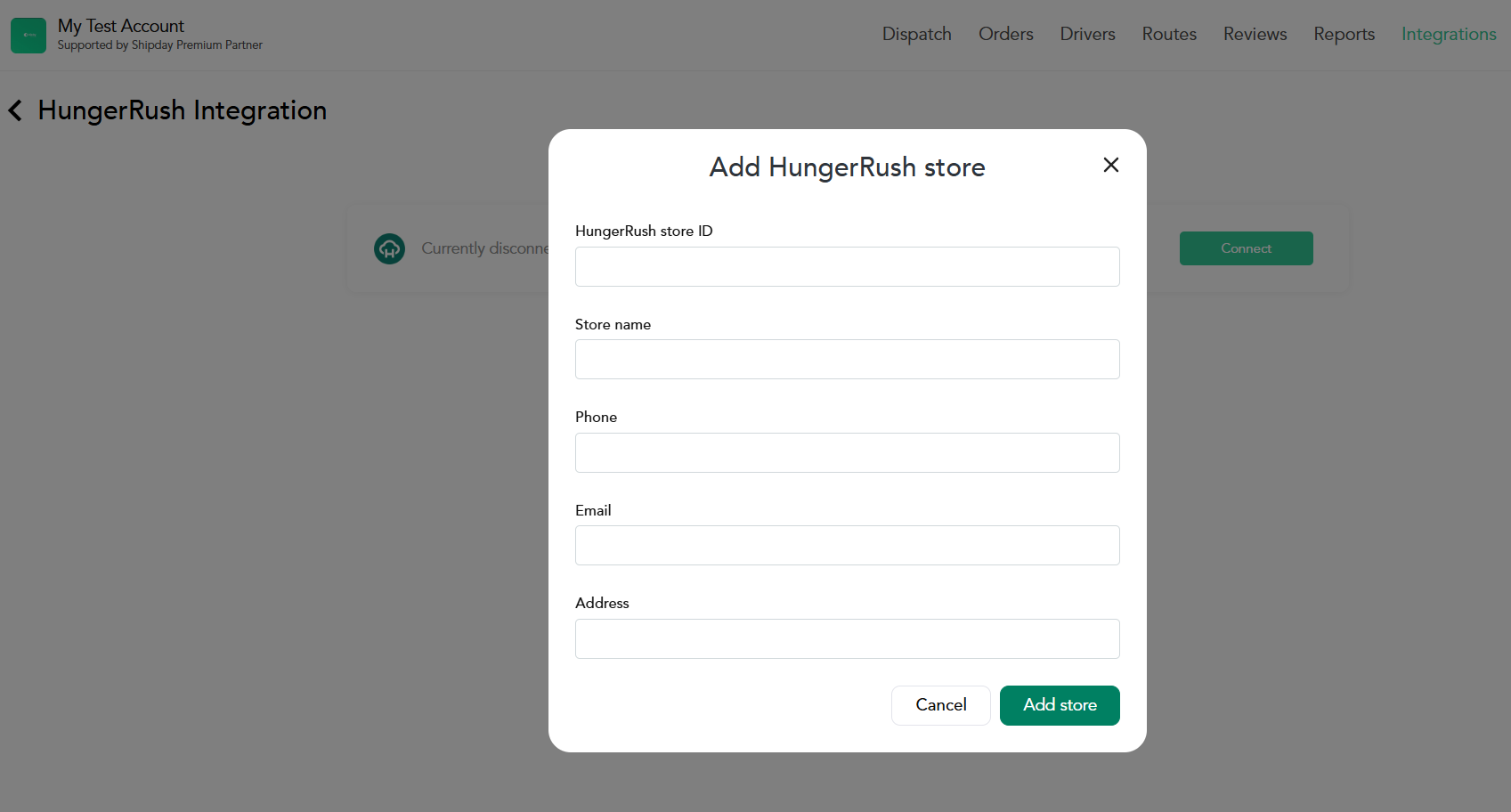
Connect, enter the HungerRush store ID, store name, phone number, email and address, then selectAdd store.
- Check that the intended store has been added. Place a test order configured for self-delivery in HungerRush and confirm that it appears in the correct Shipday account.
Some HungerRush settings may need to be adjusted for the integration. If you need help with those settings, do not know your store ID, or cannot see a test self-delivery order in Shipday, email support@shipday.com with the subject “HungerRush integration help”, your Shipday account email and store name.
Need help? Email support@shipday.com
Ready to get started?
Play around with it first, add your team, pay later.