
Integración de Restimo con Shipday
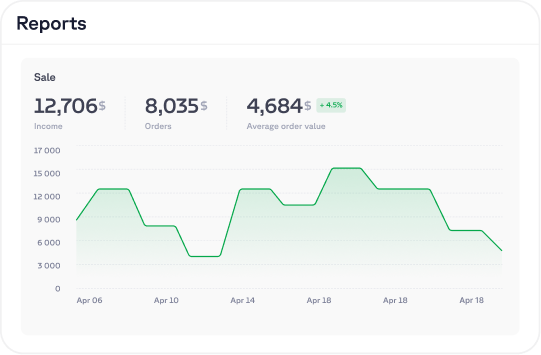
Restimo es una solución todo en uno para restaurantes modernos, diseñada para impulsar el crecimiento y la excelencia operativa. Con la confianza de más de 1,500 marcas, entre ellas Costa Coffee y Thai Wok, la plataforma funciona como un centro único para todos los canales de pedidos y entregas. Al unir integraciones de entrega de comida, pedidos en línea y servicios de marketing, Restimo elimina el caos de las tabletas y la captura manual de datos. Ofrece a los dueños una única fuente de verdad para reducir errores al gestionar el menú, aumentar los ingresos y tener control total con analíticas en tiempo real.
Soluciones principales de Restimo para tu negocio
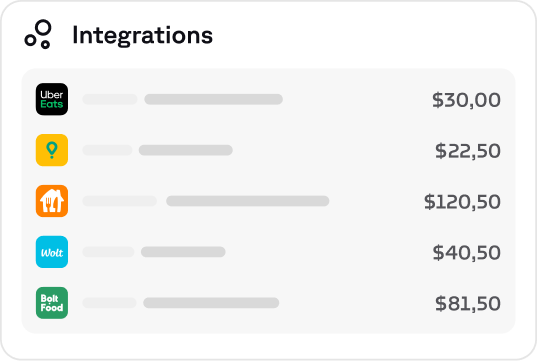
Integraciones
Integra plataformas de entrega, sistemas POS y servicios de mensajería en un solo ecosistema potente. Gestiona pedidos, menús, estadísticas y el flujo de entregas desde un único lugar, sin caos de tabletas.
Pedidos en línea
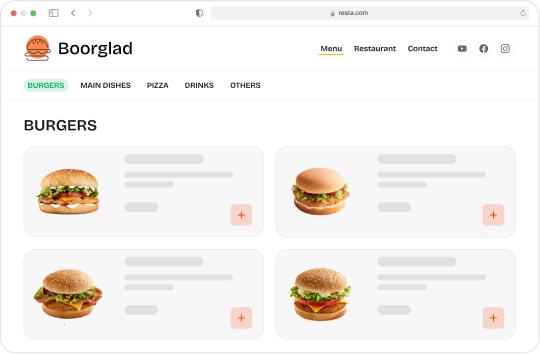
Evita las altas comisiones y vende directamente a tus clientes. Con los pedidos en línea de Restimo, tus clientes pueden hacer pedidos desde tu sitio web o tu app.
Servicios
Los servicios de Restimo se centran en el soporte experto que ofrecen especialistas en marketing. Ayudan a los negocios de comida a diseñar estrategias, desarrollar tecnología, ejecutar acciones de marketing y analizar datos para impulsar el crecimiento, la escalabilidad y la claridad operativa.
Cómo integrar Shipday con Restimo
- En el panel de Shipday, copia tu clave de API desde la pestaña Integraciones (luego, pestaña Credenciales de API)

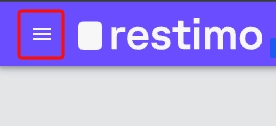
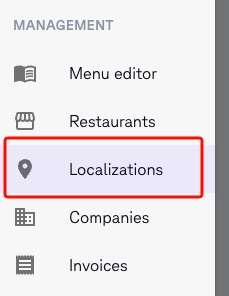
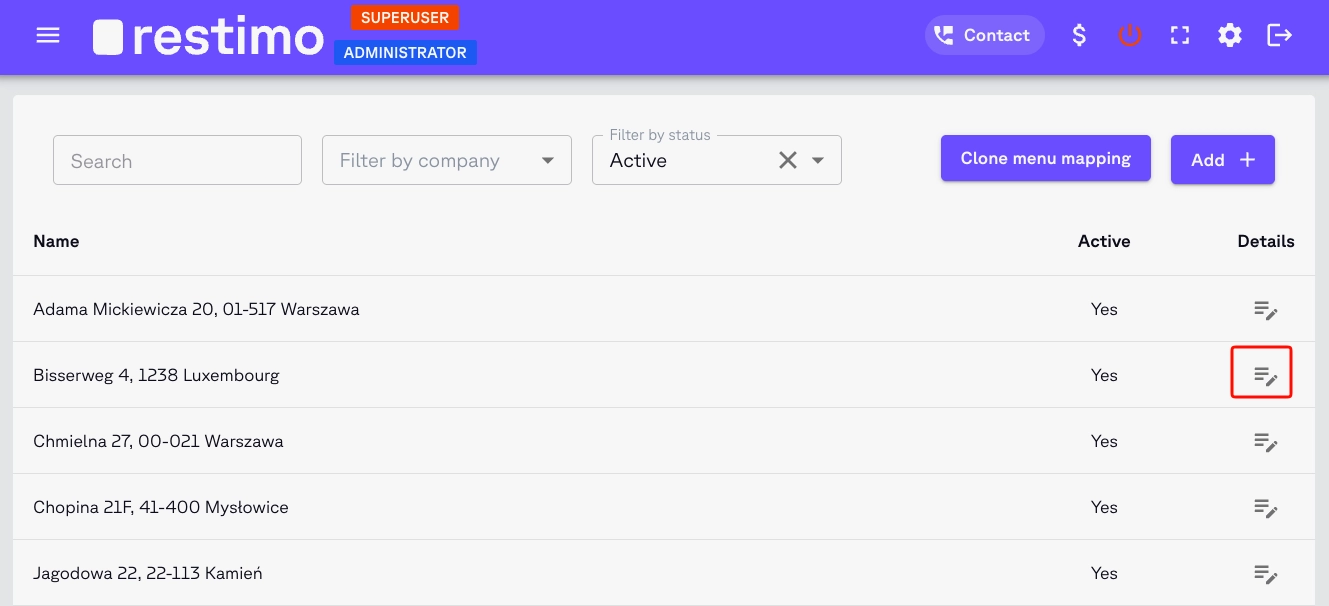
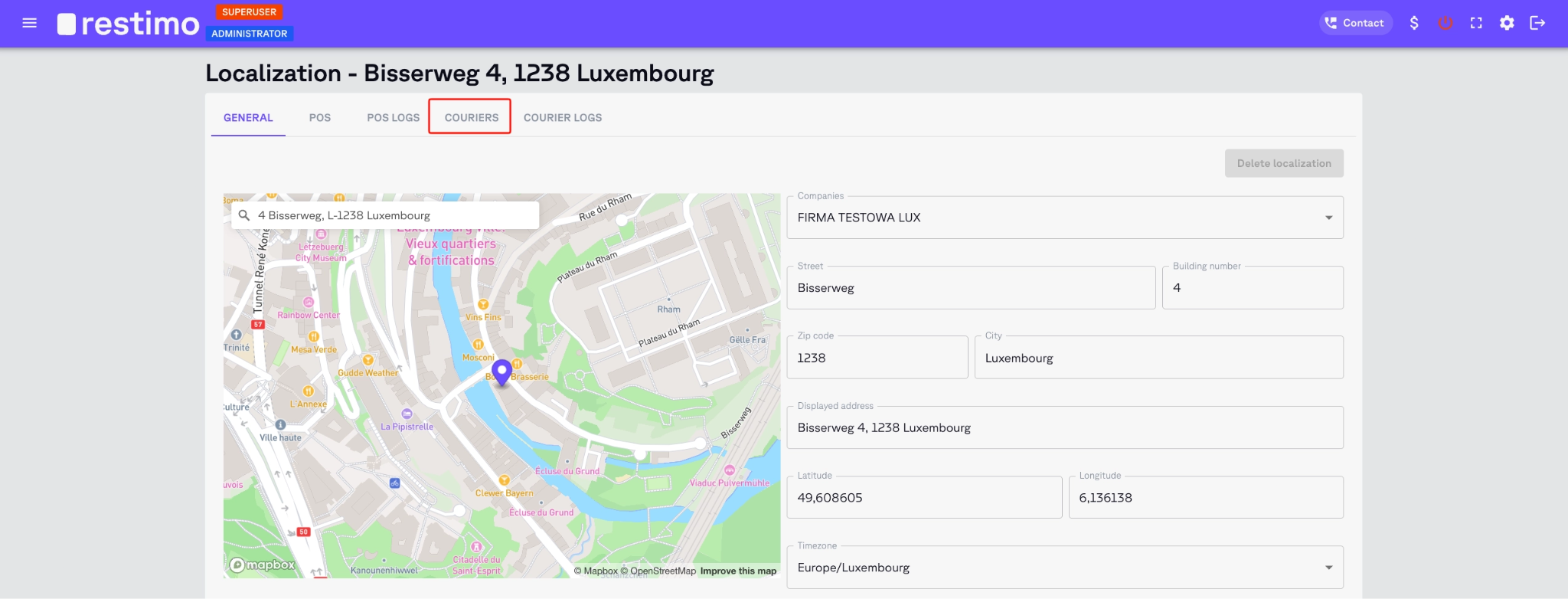
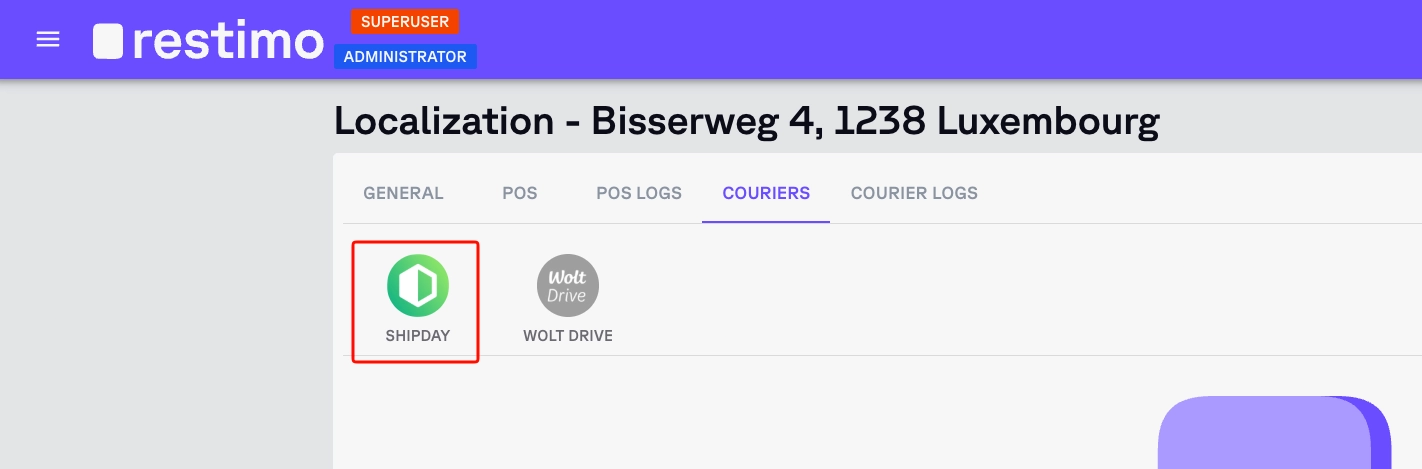
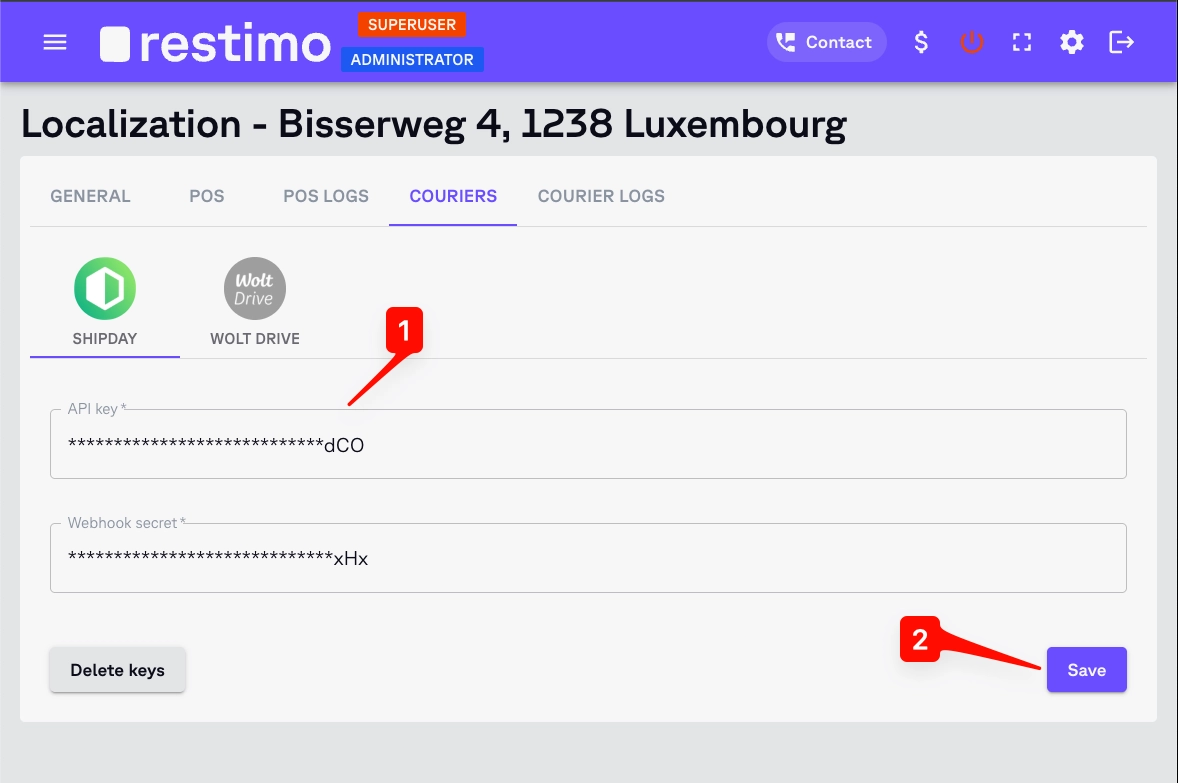
- Ve al panel de Restimo. Abre la página de configuración de la integración con Shipday en Menú (esquina superior izquierda) > Localizations > Details > Couriers tab > Shipday, pega tu clave de API en el campo correspondiente y haz clic en el botón Save.
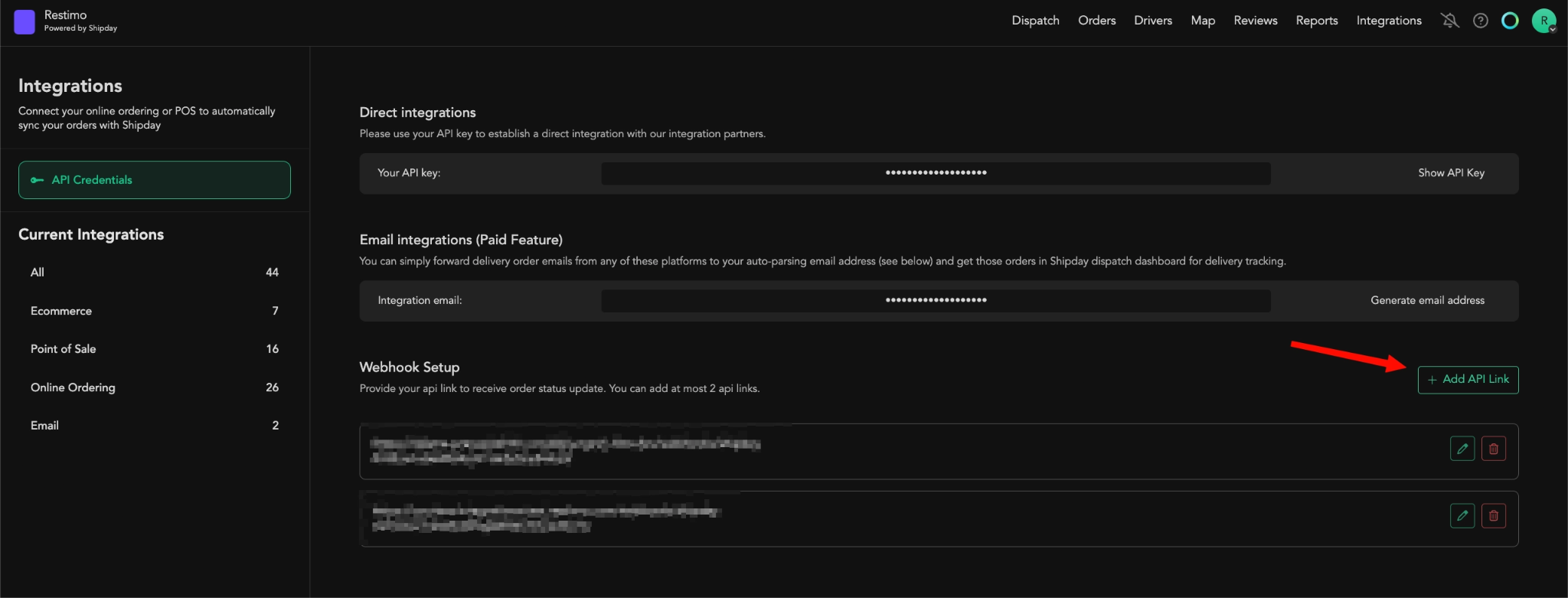
- Ahora debes configurar un webhook y su secreto. Vuelve a la pestaña Integraciones en el panel de Shipday. Busca la sección
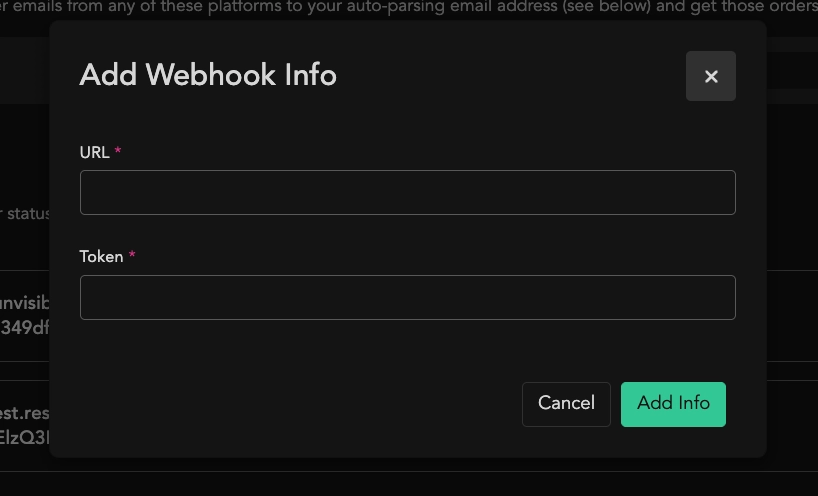
Webhook Setupy haz clic en el botón Add API Link. Se abrirá una ventana nueva.
-
Pega exactamente esta URL del webhook:
https://couriers.integrations.restimo.com/webhooks/shipday -
Luego completa el token. Debe tener entre 4 y 32 caracteres. Piensa en él como una contraseña. Puedes escribirlo manualmente o usar cualquier generador en línea (por ejemplo, https://secretkeygen.vercel.app/). Cópialo, porque lo necesitarás en el siguiente paso. Después haz clic en el botón Add Info para guardar los cambios y cerrar la ventana.
-
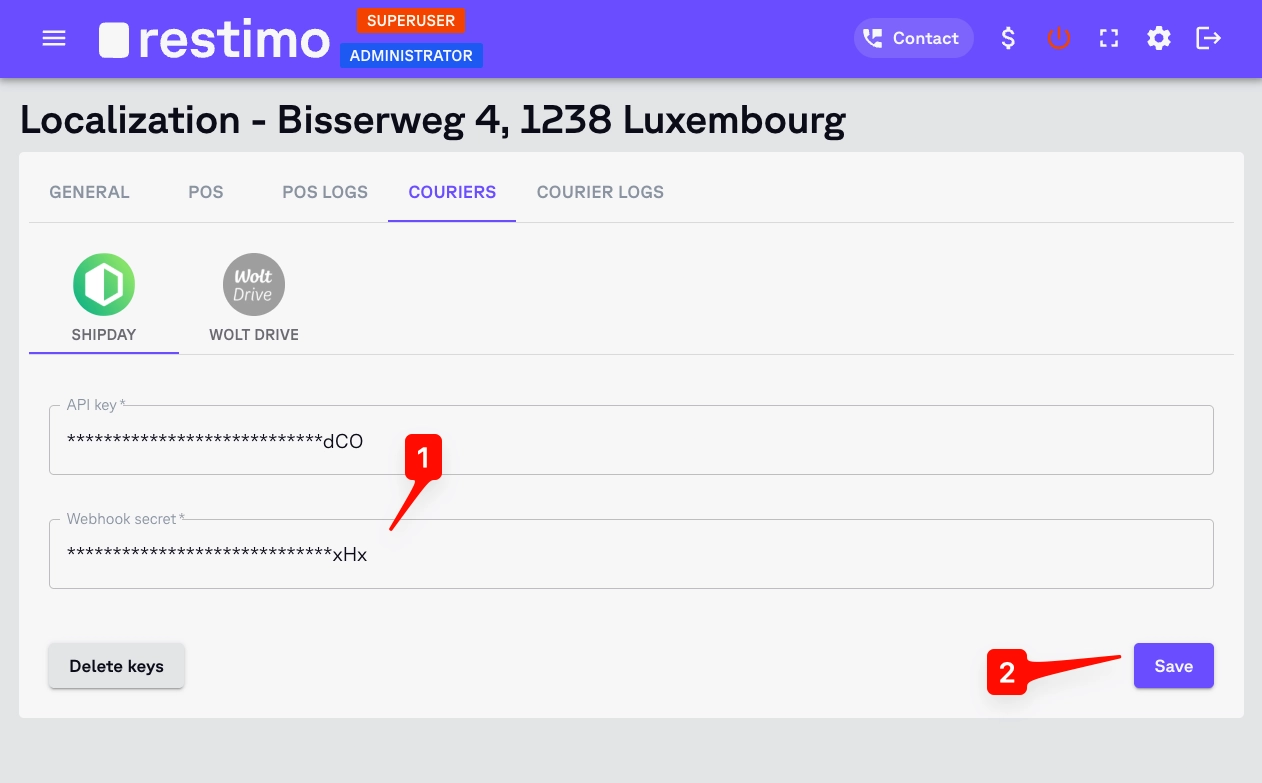
Vuelve al panel de Restimo y a la página de configuración de la integración con Shipday. Pega el token del paso anterior en el campo Webhook secret. Haz clic en el botón Save.
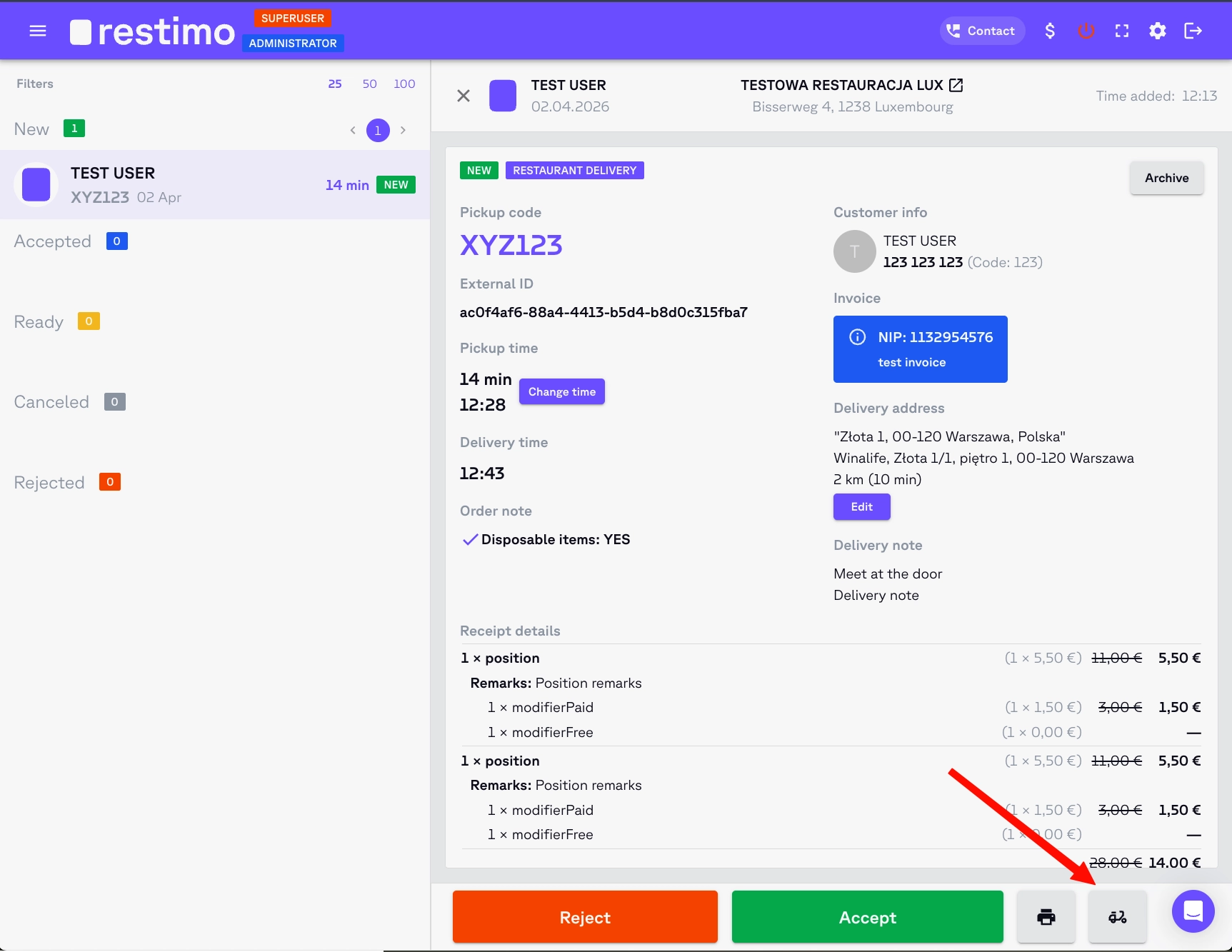
- ¡Felicidades! 👏 A partir de ahora podrás enviar los detalles de los pedidos de Restimo a Shipday sin complicaciones. Solo usa el ícono de scooter en la esquina inferior derecha de la vista de detalles del pedido en Restimo.
¿Necesitas ayuda? Escribe a support@shipday.com
¿Listo para empezar?
Pruébalo primero, suma a tu equipo y paga después.